Buying guides
Best embroidery machine for monogramming and names
The best embroidery machine for monogramming has good fonts, on-screen editing and the right hoop. Compare the PE900, PE545, SE2000 and NQ1700E, plus lettering software.
As an Amazon Associate I earn from qualifying purchases. It does not change the price you pay. How we handle links.
Our picks at a glance
Full pros, cons & specs for each ↓Quick answer
For most people monogramming towels, bags and shirts, the Brother PE900 is the best fit: 13 built-in fonts, on-screen lettering tools and a 5 × 7 field for longer names. The PE545 is the budget choice if your monograms stay within 4 × 4, the SE2000 adds sewing, and the NQ1700E suits long names on blankets and banners. Add free lettering software such as Embrilliance Express when you want more fonts.
- Most monograms fit a 4 × 4 field; long names and blanket lettering benefit from 5 × 7 or 6 × 10.
- Brother lists 10 fonts on the PE545 and 13 on the PE900, SE2000 and NQ1700E.
- The PE900 manual describes arcs, character spacing, font changes and per-letter color stops on screen.
Jump to a section
Our shortlist
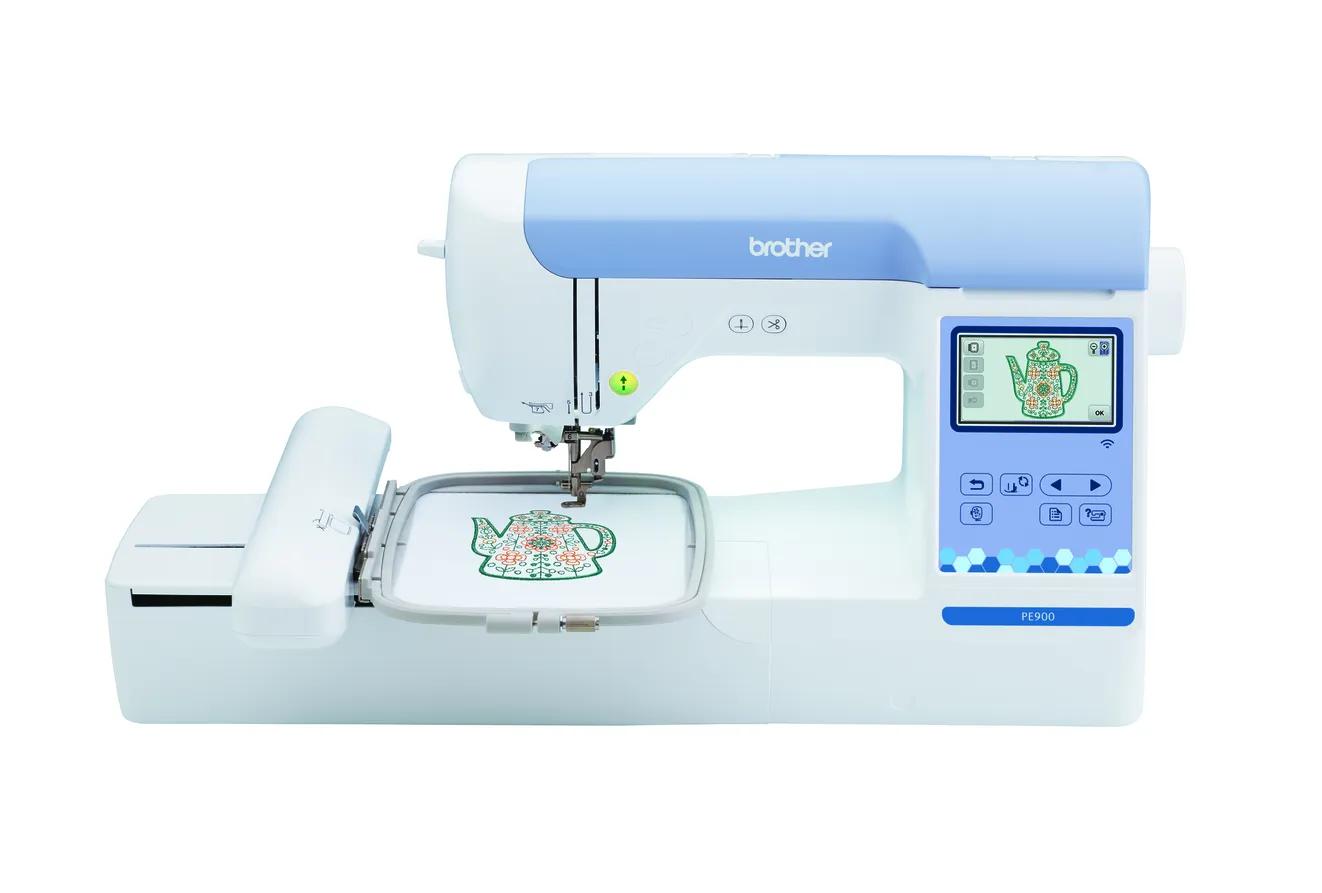
Brother PE900
Best for: Beginners who already sew (or do not need to) and want room for T-shirt fronts, totes and most popular design sizes.
- Field5 × 7 in (130 × 180 mm)
- TypeEmbroidery only
- Built-in designs193
- Max speed650 spm
- TransferUSB, Wi-Fi, Artspira app
Why pick it
- 5 × 7 field fits most popular design sizes
- Up to 650 spm
- Wireless transfer, Artspira and jump stitch trimming
Think twice if
- No sewing functions
- Single needle: you re-thread for every color
- Designs over 130 × 180 mm need splitting and re-hooping
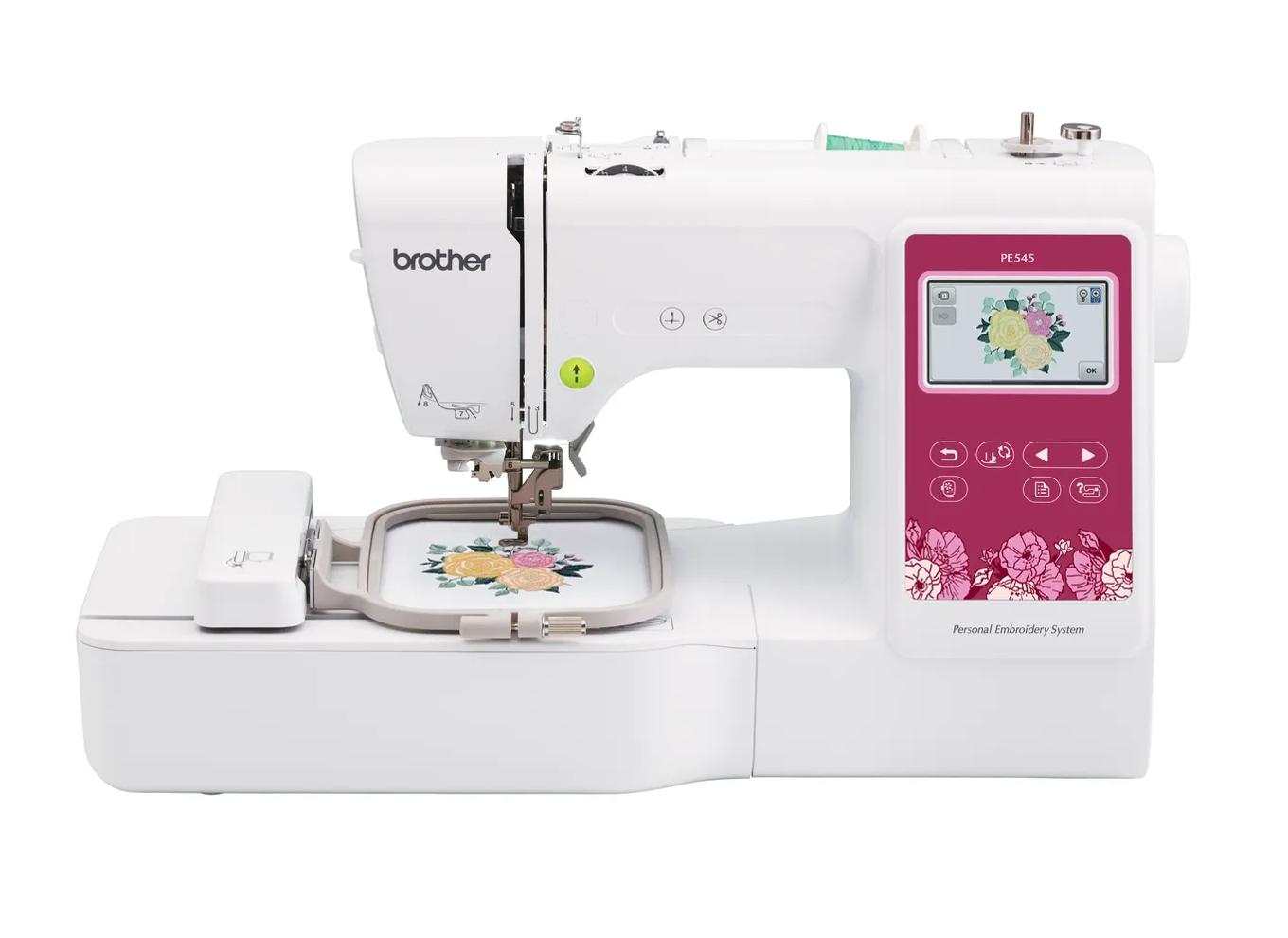
Brother PE545
Best for: Beginners who already own a sewing machine and mainly want monograms, names, patches and small motifs.
- Field4 × 4 in (100 × 100 mm)
- TypeEmbroidery only
- Built-in designs135
- Max speed400 spm
- TransferUSB, Wi-Fi, Artspira app
Why pick it
- Embroidery-only, so you are not paying for sewing features you may not need
- Wireless transfer and Artspira support, which the PE535 lacked
- 135 built-in designs and 10 fonts cover first projects
Think twice if
- 100 × 100 mm field limits design size
- Max speed of 400 spm is lower than the 5 × 7 models
- Cannot sew seams; you still need a sewing machine
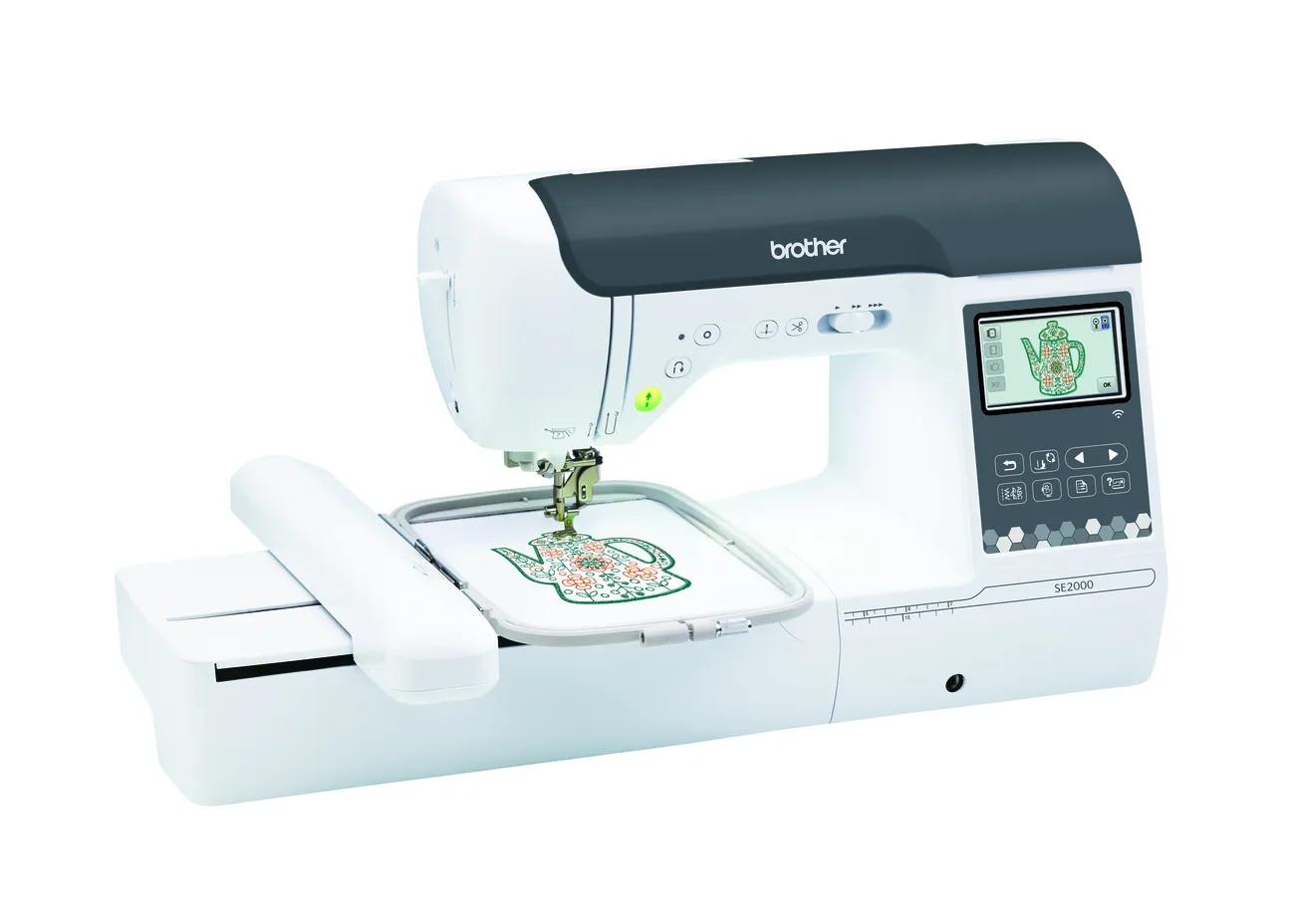
Brother SE2000
Best for: Beginners who want one machine for both sewing and 5 × 7 embroidery.
- Field5 × 7 in (130 × 180 mm)
- TypeSewing + embroidery
- Built-in designs193
- Max speed650 spm
- TransferUSB, Wi-Fi, Artspira app
Why pick it
- Sewing and 5 × 7 embroidery in one machine
- 241 sewing stitches
- Wireless transfer, Artspira and jump stitch trimming
Think twice if
- Embroidery field no larger than the PE900
- You cannot sew and embroider at the same time
- Converting between modes takes setup
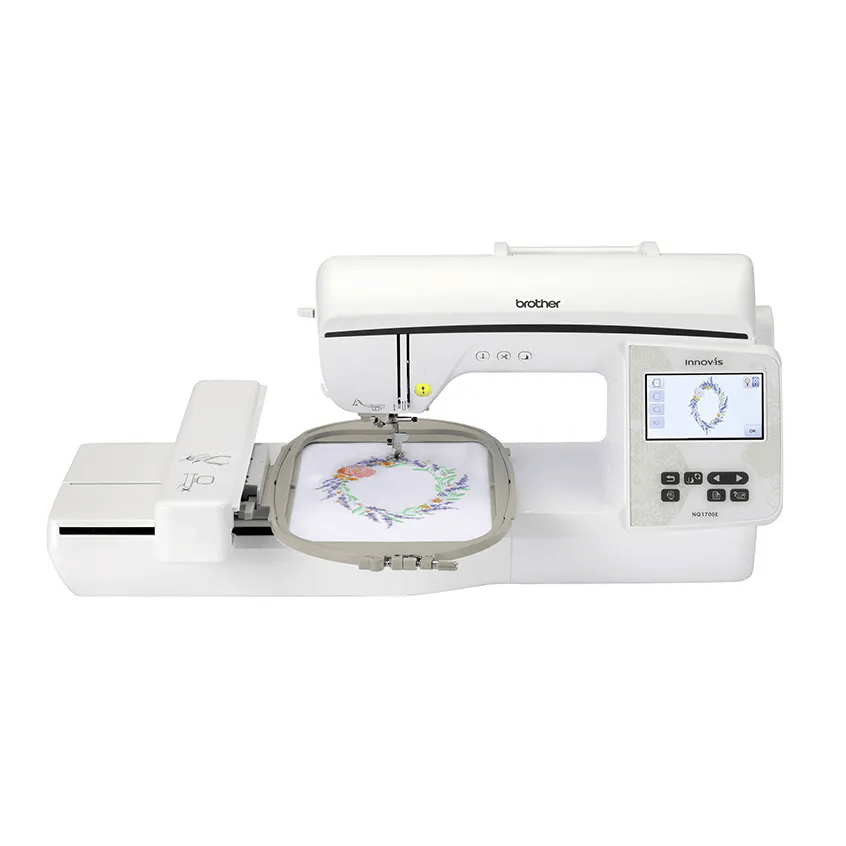
Brother NQ1700E
Best for: Beginners who already know they want bigger designs (jacket backs, larger quilt blocks) without re-hooping.
- Field6 × 10 in (160 × 260 mm)
- TypeEmbroidery only
- Built-in designs258
- Max speed850 spm
- TransferUSB, Wi-Fi, Artspira app
Why pick it
- 6 × 10 field: about 78% more area than 5 × 7
- Up to 850 spm
- Both 6 × 10 and 5 × 7 frames included
Think twice if
- No sewing functions
- More machine than many beginners need
- Still single needle
Monogramming is one of the most popular reasons to buy a first embroidery machine: initials on towels, names on backpacks, a family letter on a pillow. It is also one of the easiest things to do well on a home machine, as long as the machine’s lettering tools are decent and you set up for small text.
This guide covers what actually matters for lettering (fonts, on-screen editing, hoop size and small-text technique) and which current Brother machines fit. Specs come from Brother’s pages and manuals; EmbroideryWise is research-based.
What makes a machine good for monogramming?
Four things, roughly in this order:
| Feature | Why it matters | What to look for |
|---|---|---|
| Built-in fonts | You can letter without buying software | Count and variety; script, block and serif styles |
| On-screen lettering tools | Fixing spacing, arcs and size at the machine | Arcs, spacing, per-letter editing, font changes |
| Field size | Long names and names with motifs need room | 4 × 4 for initials; 5 × 7 or larger for long names |
| Small-text quality | Small letters have very short stitches and are the hardest stitch-out | Ballpoint needle, topping on textured fabrics, good digitizing |
The first three are machine features. The fourth is mostly technique and supplies, covered further down.
Which machine should you buy for monograms?
- Choose the PE900 if you want the most flexible lettering machine for the money: 13 fonts, Wi-Fi and a 5 × 7 field for longer names.
- Choose the PE545 if your monograms are initials and short names that fit 4 × 4, and you want the lowest entry point.
- Choose the SE2000 if you also want to sew; its embroidery and lettering specs match the PE900.
- Choose the NQ1700E if you letter long names on blankets, banners or quilt borders, where a 260 mm long side helps.
If you already have a design or name layout in mind, check its dimensions in the hoop fit checker before deciding between 4 × 4 and 5 × 7.
How many built-in fonts do you need?
Brother lists 10 built-in fonts on the PE545 and 13 on the PE900, SE2000 and NQ1700E. Step up to production-style machines and the counts jump: Brother lists 21 size-adjustable fonts on the PRS100 and 50 on the 6-needle PR680W.
For personal monogramming, 10 to 13 fonts cover the basics. If you sell personalization, you will probably want more styles than any home machine includes, which is where lettering software comes in. Note that not every brand is generous here: Janome lists just 2 built-in fonts on the Memory Craft 9850 combo.
What can you edit on the machine screen?
This is where the PE900’s manual is useful, because product pages rarely describe lettering tools. Brother’s PE900 manual describes these lettering functions on screen:
- Font change for selected characters (with a note that some fonts can’t be swapped).
- Arc and incline settings to curve text flatter or rounder, or slant it.
- Character spacing adjustment.
- Edit character to change individual letters separately.
- Array key that stops the machine at the end of each character, so you can change thread color letter by letter.
- Mirror, rotate and move controls, plus frame patterns you can combine with lettering.
The manual also warns that curved layouts fail with too many characters, so long names may need to stay straight or be split. Other Brother models use similar screens, but check each model’s manual for exact features.
What lettering software is worth adding?
You don’t need software on day one. When you want more fonts or classic three-letter monogram layouts, these are the common routes:
| Software | What it offers for lettering | Platform notes |
|---|---|---|
| Embrilliance Express | Free mode for lettering with BX fonts and saving BE files | Uses the Embrilliance program |
| Embrilliance Essentials | Lettering plus merge, resize with stitch recalculation, colorize, templates | Native macOS and Windows |
| Hatch Personalizer | Hatch lists 66 embroidery fonts, TrueType/OpenType support and monogram templates | 30-day free trial, no credit card |
| Brother PE-DESIGN 11 | 130 fonts and full digitizing | Windows |
Embrilliance Express is the low-risk start: install it, add BX fonts you buy or find, and export lettering to your machine’s format. Embrilliance says Essentials saves PES, JEF, DST and other formats, so it works across brands. Whatever you use, export in a format your machine reads. Brother support lists PES, DST, PHC and PEN for its machines, and PES is the safer choice because, as Brother notes, DST files carry no thread color information. A monogram exported as DST will stitch, but the machine won’t know which colors you intended.
Our beginner software guide compares these in more depth, and how to transfer designs covers getting the file onto the machine.
Do you need a bigger hoop for monograms?
Usually not for initials, but often for everything else people end up lettering. Here is how common jobs map to field sizes, based on the fields Brother lists.
| Lettering job | Field that usually works | Notes |
|---|---|---|
| Three-letter monogram on a towel or napkin | 4 × 4 (100 × 100 mm) | Most compact layouts fit |
| Short name on a backpack or bib | 4 × 4 | Check length in the hoop fit checker |
| Long name, or a name with a motif | 5 × 7 (130 × 180 mm) | Rotate the layout to use the 180 mm side |
| Full name across a blanket or banner | 6 × 10 (160 × 260 mm) | Avoids splitting text across hoopings |
Splitting lettering across two hoopings is possible but fiddly, because the letters have to line up exactly. If you expect lots of long names, buying the larger field once is easier than re-hooping every order. Placement matters as much as size; our placement guide covers where monograms usually go.
How do you get clean small letters?
Small text is where monograms fail. Short stitches leave little room for error.
Use a ballpoint needle for small letters. Brother’s manual recommends a 75/11 needle for most embroidery, and specifically says: “When embroidering with short stitches, such as small letters, we recommend using a ball point needle for embroidery.” Brother’s troubleshooting list also names not using a ballpoint for small letters as a cause of thread nests.
Use the right thread. Brother recommends 40-weight rayon or polyester embroidery thread for most embroidery, with the recommended embroidery bobbin thread.
Add a topping on textured fabrics. For thick terry towels, Brother’s manual says to place water-soluble stabilizer on top. Madeira recommends water-soluble topping on fleece, sweaters and terry to stop stitches sinking. Without it, thin letters disappear into the pile. See how to embroider towels.
Don’t shrink lettering too far. Lettering software such as Embrilliance Essentials recalculates stitches when you resize, but there is still a practical lower limit for legible text. If letters fill in or lose their shape, use a larger size or a simpler, bolder font, and test on scrap fabric of the same type before stitching the real item. Our design resizing guide explains why.
Brother PE900: the best all-round monogramming machine
Brother lists 193 designs, 13 fonts, a 5 × 7 field, up to 650 spm, Wi-Fi, Artspira and jump stitch trimming. Jump stitch trimming is helpful for lettering, because names have many small jumps between letters.
Who it’s for: personal monogrammers and small personalization sellers who want room for names plus a motif.
Skip it if: you need sewing too (the SE2000), or you only ever stitch initials (the PE545 is enough).
Brother PE545: budget monograms within 4 × 4
Brother lists 135 designs, 10 fonts, a 4 × 4 field, 400 spm, an automatic thread cutter, Wi-Fi and Artspira. For initials on towels, napkins, baby items and bags, that field is usually enough.
What you give up: three fewer fonts than the PE900, slower maximum speed, and no room for long names or names framed by a design.
Brother SE2000: monograms plus sewing
The SE2000 matches the PE900’s embroidery specs, including 13 fonts, and adds 241 sewing stitches. It suits people who sew the items they monogram, such as pouches, tote bags and pillow covers. Our PE900 vs SE2000 comparison helps you decide.
Brother NQ1700E: long names and big lettering
Brother lists a 6 × 10 field (26 × 16 cm in the manual), 258 designs, 13 fonts, up to 850 spm and a 4.85 inch touch screen. The long side helps when you letter a full name across a blanket, a stocking cuff or a banner without re-hooping.
Skip it if your lettering is mostly initials. The extra field adds cost without helping small monograms.
What do you give up at each level?
| Machine | Fonts | Field | You give up |
|---|---|---|---|
| PE545 | 10 | 4 × 4 | Long names, names plus motifs, speed |
| PE900 | 13 | 5 × 7 | Sewing; very long names in one hooping |
| SE2000 | 13 | 5 × 7 | Nothing on lettering; costs more than PE900 |
| NQ1700E | 13 | 6 × 10 | Sewing; more machine than initials need |
Whichever you choose, budget for ballpoint needles, a water-soluble topping and a basic thread set. Our embroidery supplies checklist lists the rest.
Spec comparison
| Model | Field | Type | Designs | Max speed | Transfer | Shop |
|---|---|---|---|---|---|---|
| Brother PE545 | 4 × 4 in | Embroidery only | 135 | 400 spm | USB, Wi-Fi, Artspira app | Check price ↗ |
| Brother PE900 | 5 × 7 in | Embroidery only | 193 | 650 spm | USB, Wi-Fi, Artspira app | Check price ↗ |
| Brother SE2000 | 5 × 7 in | Sewing + embroidery | 193 | 650 spm | USB, Wi-Fi, Artspira app | Check price ↗ |
| Brother NQ1700E | 6 × 10 in | Embroidery only | 258 | 850 spm | USB, Wi-Fi, Artspira app | Check price ↗ |
What to buy
- Shop on Amazon ↗
Ballpoint embroidery needles
A rounded tip slips between knit fibers instead of piercing them. Useful for T-shirts, polos and sweatshirts; still pair with a cut-away stabilizer. Learn more
- Shop on Amazon ↗
Embroidery needles (75/11)Start here
Embroidery needles have a larger eye and groove that protect rayon and polyester thread at speed. Use the needle system your manual specifies; buy a ballpoint pack for knits. Learn more
- Shop on Amazon ↗
Water-soluble stabilizer & topping
Film topping keeps stitches on top of towels and fleece; fibrous wash-away is used for freestanding lace. Film and fibrous types do different jobs; check the product description before buying. Learn more
- Shop on Amazon ↗
40 wt polyester embroidery thread setStart here
A starter range of colors in the weight most home designs are digitized for. Make sure it is embroidery thread (not all-purpose sewing thread) and the spool fits your machine pin. Learn more
Frequently asked questions
Do I need software to monogram?
No. Brother’s machines have built-in fonts you can type and arrange on screen. Software becomes useful when you want more fonts or traditional monogram layouts the machine doesn’t have, and Embrilliance Express is a free option for lettering with BX fonts.
Is a 4 × 4 machine enough for monograms?
For initials and short names on towels, bags and shirts, usually yes. Long names, blanket lettering and names with a design around them are where a 5 × 7 or larger field helps.
Why do small letters stitch badly?
Small letters have very short stitches. Brother’s manual recommends a ballpoint needle for small letters and lists not using one as a cause of thread nests, and on towels a water-soluble topping keeps letters from sinking into the pile.
Which Brother machine has the most built-in fonts?
Among the machines we cover, Brother lists 50 fonts on the 6-needle PR680W and 21 size-adjustable fonts on the PRS100. The home PE900, SE2000 and NQ1700E list 13, and the PE545 lists 10.
Can I change the color of each letter?
On the PE900, the manual describes an array key that stops the machine at the end of each character so you can change the upper thread letter by letter.
Sources & method
This guide is compiled from manufacturer documentation and specialist sources, not hands-on testing. We link every source so you can check it. Specifications change, so confirm details against your exact model manual. How we research.
- Brother PE900 product page
- Brother PE900 operation manual (editing patterns, lettering)
- Brother PE545 product page
- Brother SE2000 product page
- Brother NQ1700E product page
- Brother operation manual: needles
- Brother operation manual: thread
- Brother operation manual: fabric preparation (towels)
- Brother operation manual: list of symptoms
- Brother: design formats the machine will read
- Brother: DST file precautions
- Madeira: sinking stitches
- Embrilliance Express
- Embrilliance Essentials
- Hatch Embroidery pricing and tiers
- Brother PE-DESIGN 11
- Madeira: the basics of 75/11 needles