Brother · Embroidery only · 4 × 4 in
Brother PE545 review: specs, pros, cons & who it’s for
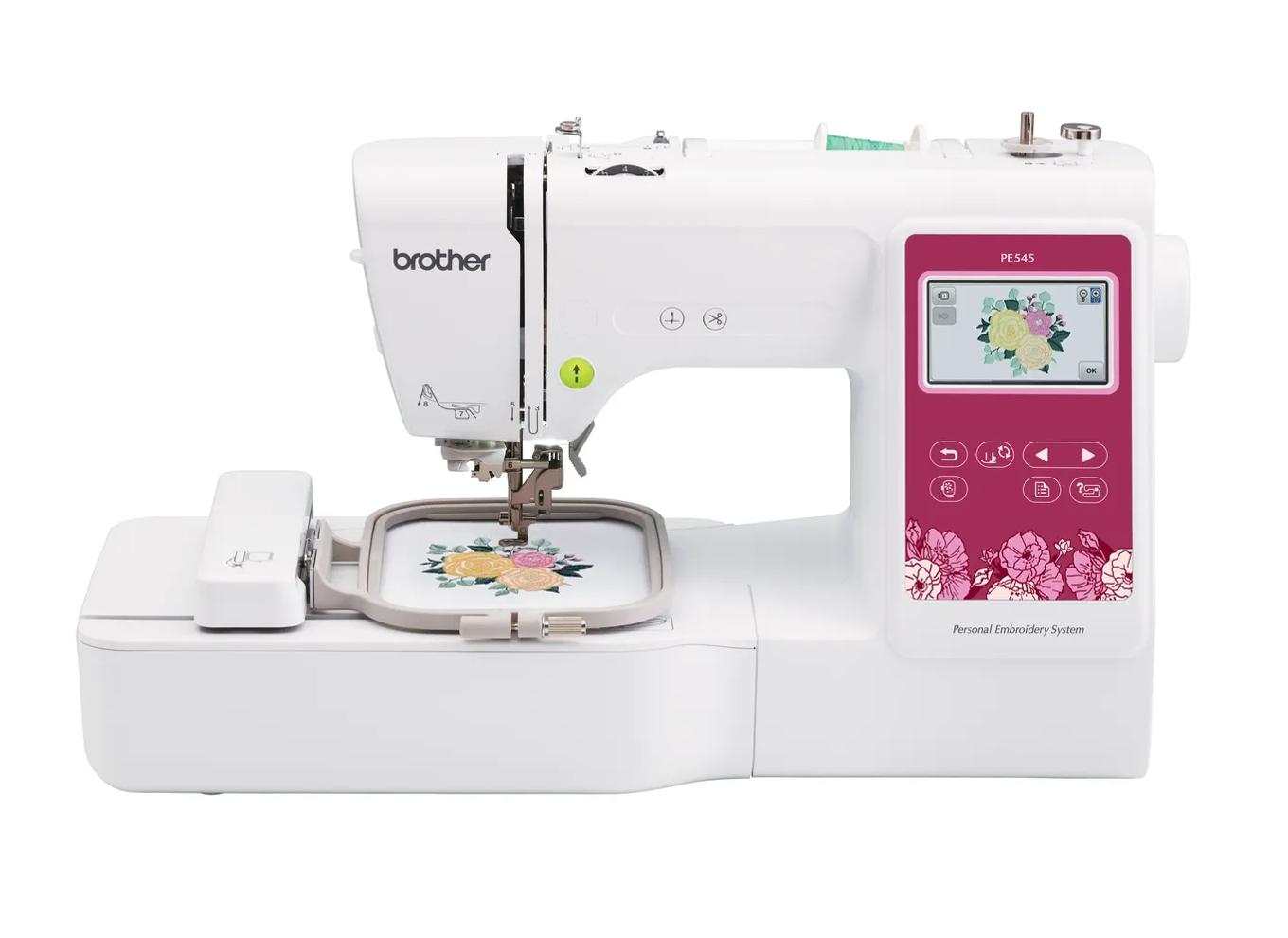
- Embroidery field
- 4 × 4 in (100 × 100 mm)
- Machine type
- Embroidery only
- Built-in designs
- 135
- Max speed
- 400 spm
- Design transfer
- USB, Wi-Fi, Artspira app
As an Amazon Associate I earn from qualifying purchases. It does not change the price you pay. How we handle links.
The short verdict
Choose it ifBeginners who already own a sewing machine and mainly want monograms, names, patches and small motifs.
Skip it ifAnyone planning T-shirt fronts, tote designs or anything larger than about 4 × 4 inches.
Overview
The PE545 is Brother’s current entry-level embroidery-only machine. Brother lists a 4 × 4 inch (100 × 100 mm) maximum embroidery area, 135 built-in designs, 10 built-in lettering fonts and embroidery speeds up to 400 stitches per minute.
Its main upgrade over the discontinued PE535 is connectivity: Brother lists wireless design transfer and Artspira app support alongside USB. That makes it easier to send designs from a phone or computer without moving a flash drive back and forth.
The limitation is the field. A 4 × 4 field handles left-chest monograms, baby items and patches well, but many popular designs are sold in 5 × 7 sizes. If you can already picture larger projects, compare it with the PE900 before buying.
Lineup note: The PE545 replaced the PE535 in Brother’s embroidery-only 4 × 4 line. The PE535 is now listed as discontinued.
Brother PE545 specifications
| Machine type | Embroidery only |
|---|---|
| Max embroidery field | 100 × 100 mm (4 × 4 in) |
| Built-in embroidery designs | 135 |
| Built-in fonts | 10 |
| Max embroidery speed | 400 stitches per minute |
| Display | 3.7" LCD touch panel |
| Design transfer | USB, Wi-Fi, Artspira app |
| Native file format | PES |
| Notable features | Automatic thread cutter · Advanced needle threading |
| Status | Listed on the manufacturer site |
Pros and cons
Strengths
- Embroidery-only, so you are not paying for sewing features you may not need
- Wireless transfer and Artspira support, which the PE535 lacked
- 135 built-in designs and 10 fonts cover first projects
Limitations
- 100 × 100 mm field limits design size
- Max speed of 400 spm is lower than the 5 × 7 models
- Cannot sew seams; you still need a sewing machine
Brother PE5454 × 4 in · Embroidery only · Wi-Fi
Check price on Amazon ↗Will your designs fit?
The 4 × 4 in label is rounded. The real limit is 100 × 100 mm. Measure the stitched design, not the fabric or the outside of the hoop, and remember a design can sometimes fit after a 90° rotation. Use the hoop fit checker with this machine preselected.
How it compares
Read our full comparison: Brother PE535 vs PE545: differences, and when to skip both.
| Model | Field | Type | Designs | Max speed | Transfer | Shop |
|---|---|---|---|---|---|---|
| Brother PE545 | 4 × 4 in | Embroidery only | 135 | 400 spm | USB, Wi-Fi, Artspira app | Check price ↗ |
| Brother PE900 | 5 × 7 in | Embroidery only | 193 | 650 spm | USB, Wi-Fi, Artspira app | Check price ↗ |
| Brother SE700 | 4 × 4 in | Sewing + embroidery | 135 | 400 spm | USB, Wi-Fi, Artspira app | Check price ↗ |
| Brother PE535 | 4 × 4 in | Embroidery only | 80 | — | USB | Check price ↗ |
Frequently asked questions
What size designs can the Brother PE545 embroider?
Brother lists a maximum embroidery field of 100 × 100 mm (about 3.9 × 3.9 in), marketed as 4 × 4 in. A design must fit inside that field; a larger design needs splitting in software and re-hooping, or a machine with a bigger field.
Can the Brother PE545 sew as well as embroider?
No. The Brother PE545 is embroidery-only. It stitches designs in a hoop but does not replace a sewing machine for seams, hems or repairs.
How do you get designs onto the Brother PE545?
Brother lists these transfer options: USB, Wi-Fi, Artspira app. The native format is PES. Always check that a purchased design is supplied in a compatible format and at a size that fits the 4 × 4 in field.
How many built-in designs does the Brother PE545 have?
Brother lists 135 built-in embroidery designs and 10 built-in lettering fonts. Built-in designs are enough for first projects; most people eventually buy or download additional designs.
Is the Brother PE545 good for beginners?
Beginners who already own a sewing machine and mainly want monograms, names, patches and small motifs. It is less suited to: anyone planning T-shirt fronts, tote designs or anything larger than about 4 × 4 inches. This verdict is based on published specifications, not hands-on testing.
How we evaluated it
We compare published manufacturer specifications against beginner needs: design size, sewing vs embroidery workflow, design transfer and built-in content. We have not tested this machine hands-on, and we never invent ratings. Read our methodology.