Buying guides
Best embroidery machine for beginners: choose by hoop, not hype
The best beginner embroidery machines compared by real embroidery field, sewing vs embroidery-only, Wi-Fi and built-in designs. Sourced specs, honest trade-offs.
As an Amazon Associate I earn from qualifying purchases. It does not change the price you pay. How we handle links.
Our picks at a glance
Full pros, cons & specs for each ↓Quick answer
For most beginners who already own a sewing machine, the Brother PE900 is the one to beat: a 5 × 7 inch field, 650 stitches per minute, Wi-Fi and jump stitch trimming. If you want one machine that also sews, the Brother SE2000 has the same embroidery specs plus 241 sewing stitches. Choose a 4 × 4 model such as the PE545 or SE700 only if you are sure your designs will stay small.
- Decide by embroidery field first: 4 × 4 in is 100 × 100 mm, 5 × 7 in is 130 × 180 mm, about 2.3 times the area.
- Already sew? Buy embroidery-only. Need one machine for everything? Buy a combo.
- The PE800, SE1900 and PE535 are discontinued; the PE900, SE2000 and PE545 are their current successors.
Jump to a section
Our shortlist
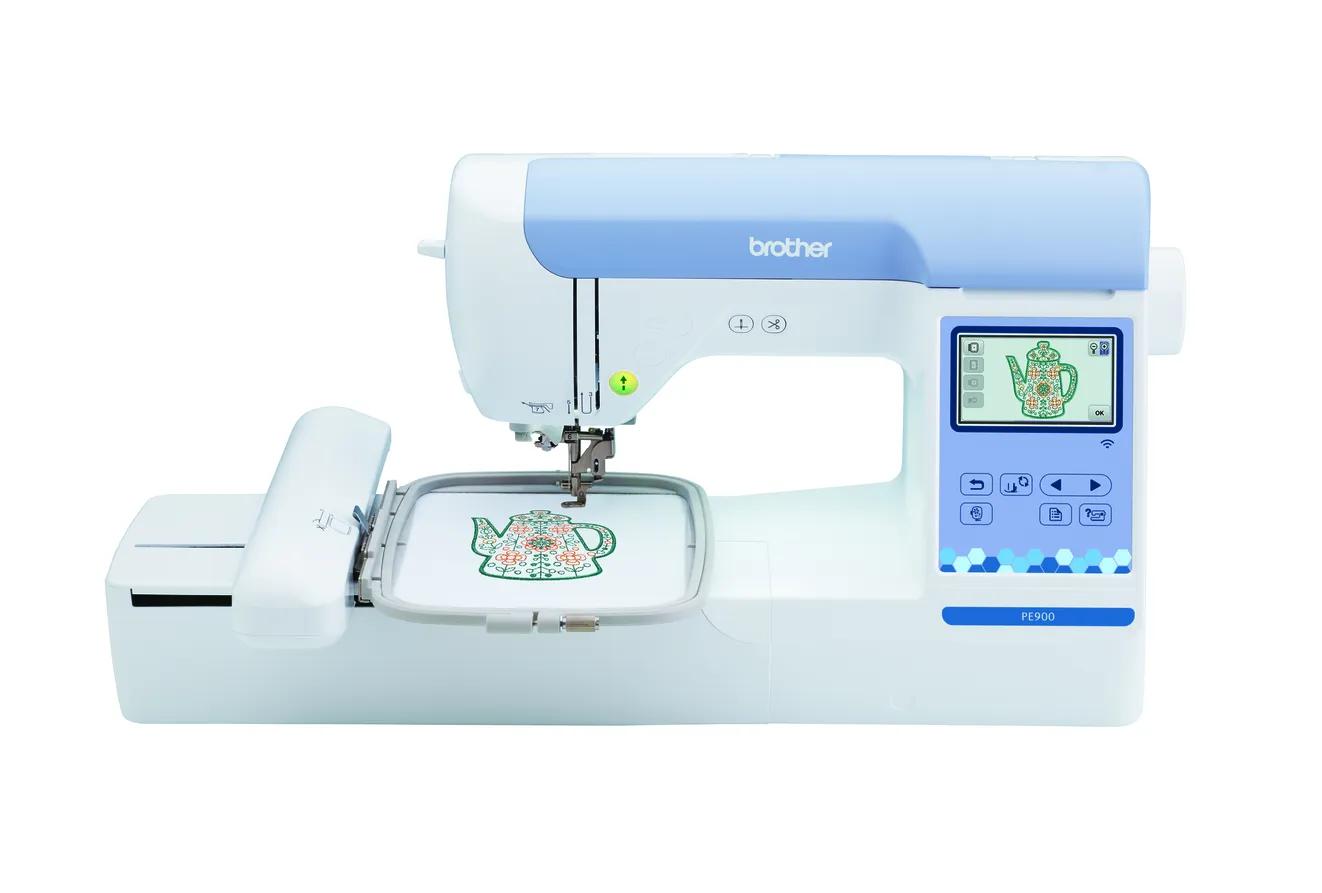
Brother PE900
Best for: Beginners who already sew (or do not need to) and want room for T-shirt fronts, totes and most popular design sizes.
- Field5 × 7 in (130 × 180 mm)
- TypeEmbroidery only
- Built-in designs193
- Max speed650 spm
- TransferUSB, Wi-Fi, Artspira app
Why pick it
- 5 × 7 field fits most popular design sizes
- Up to 650 spm
- Wireless transfer, Artspira and jump stitch trimming
Think twice if
- No sewing functions
- Single needle: you re-thread for every color
- Designs over 130 × 180 mm need splitting and re-hooping
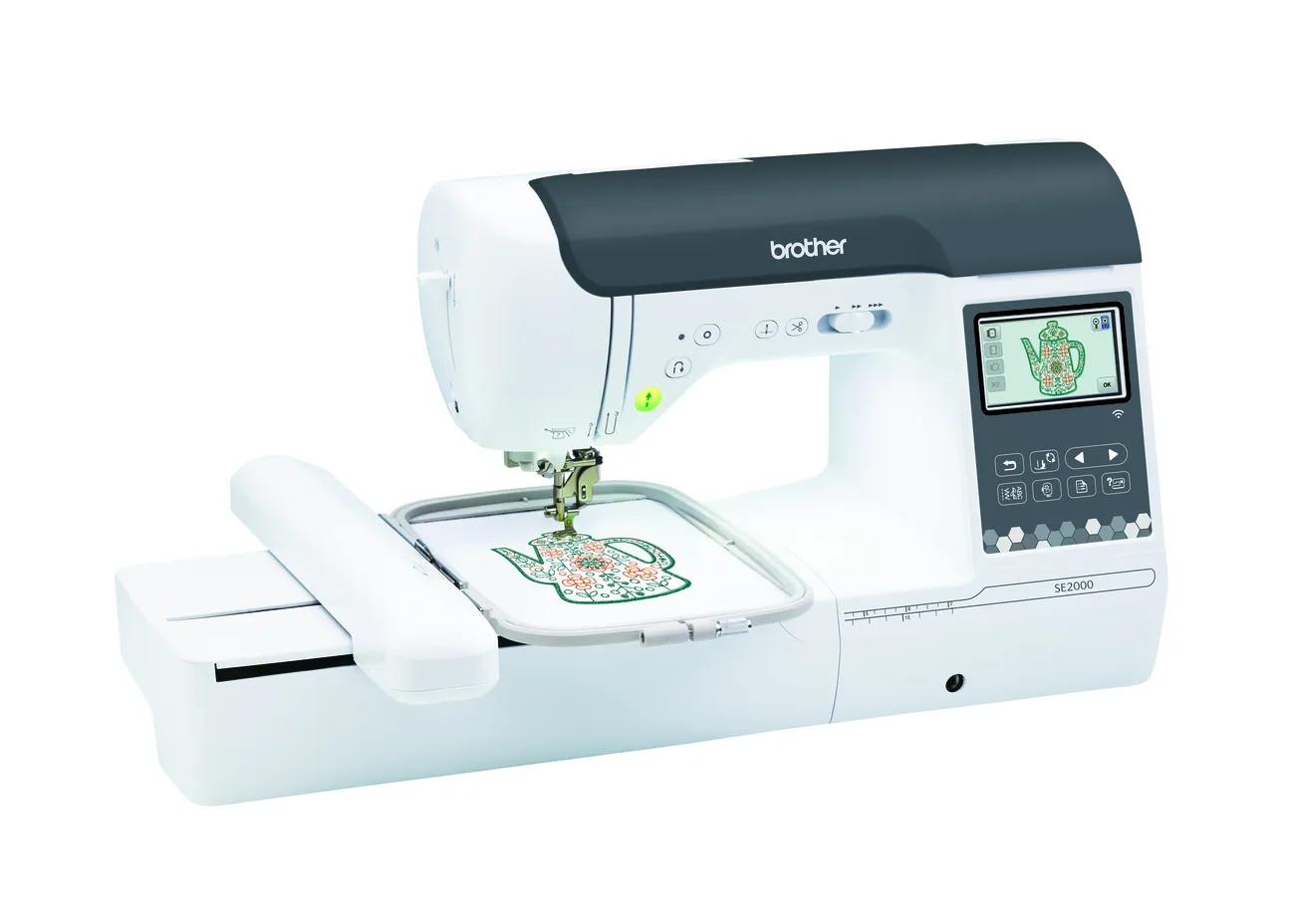
Brother SE2000
Best for: Beginners who want one machine for both sewing and 5 × 7 embroidery.
- Field5 × 7 in (130 × 180 mm)
- TypeSewing + embroidery
- Built-in designs193
- Max speed650 spm
- TransferUSB, Wi-Fi, Artspira app
Why pick it
- Sewing and 5 × 7 embroidery in one machine
- 241 sewing stitches
- Wireless transfer, Artspira and jump stitch trimming
Think twice if
- Embroidery field no larger than the PE900
- You cannot sew and embroider at the same time
- Converting between modes takes setup
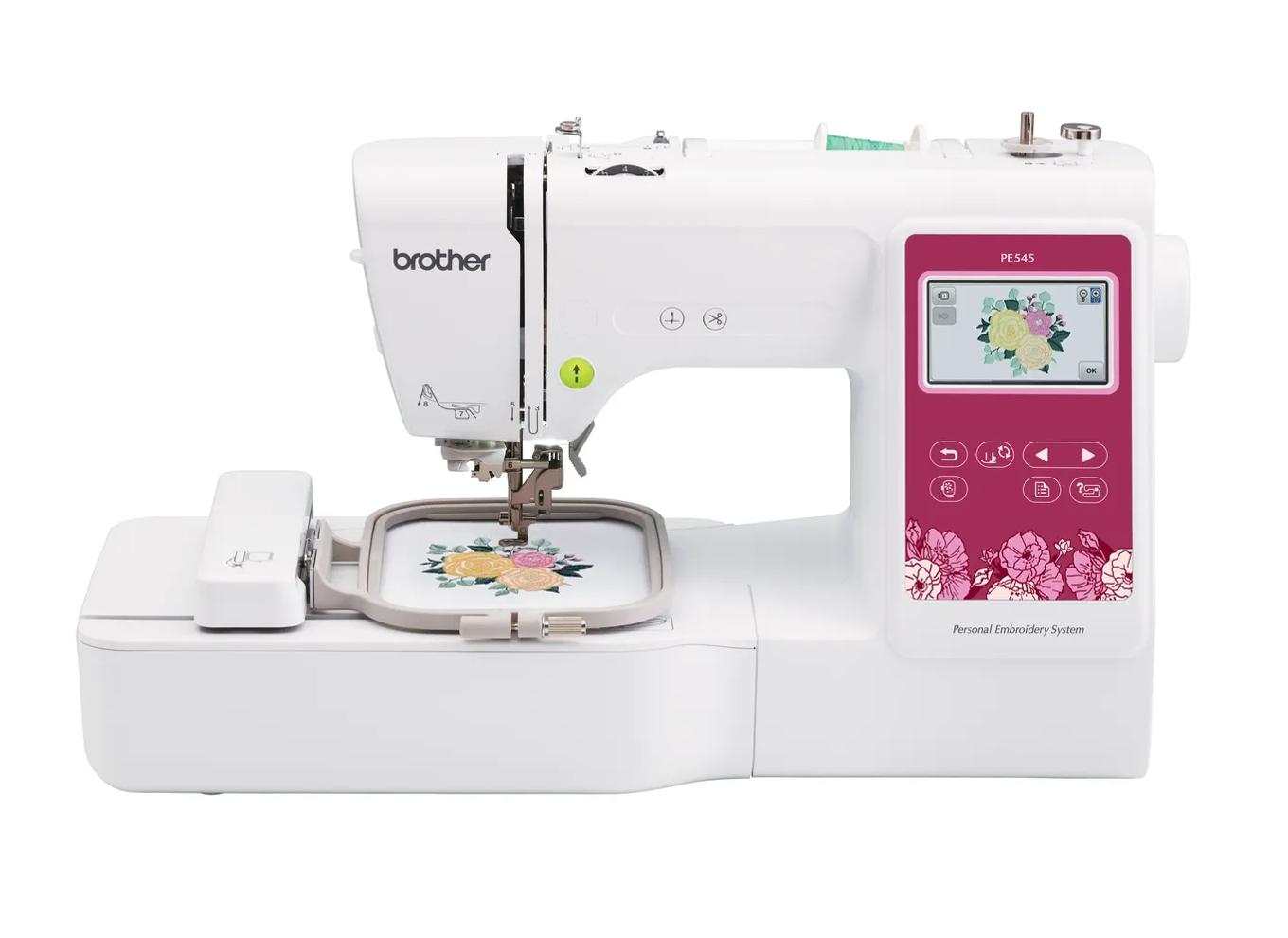
Brother PE545
Best for: Beginners who already own a sewing machine and mainly want monograms, names, patches and small motifs.
- Field4 × 4 in (100 × 100 mm)
- TypeEmbroidery only
- Built-in designs135
- Max speed400 spm
- TransferUSB, Wi-Fi, Artspira app
Why pick it
- Embroidery-only, so you are not paying for sewing features you may not need
- Wireless transfer and Artspira support, which the PE535 lacked
- 135 built-in designs and 10 fonts cover first projects
Think twice if
- 100 × 100 mm field limits design size
- Max speed of 400 spm is lower than the 5 × 7 models
- Cannot sew seams; you still need a sewing machine
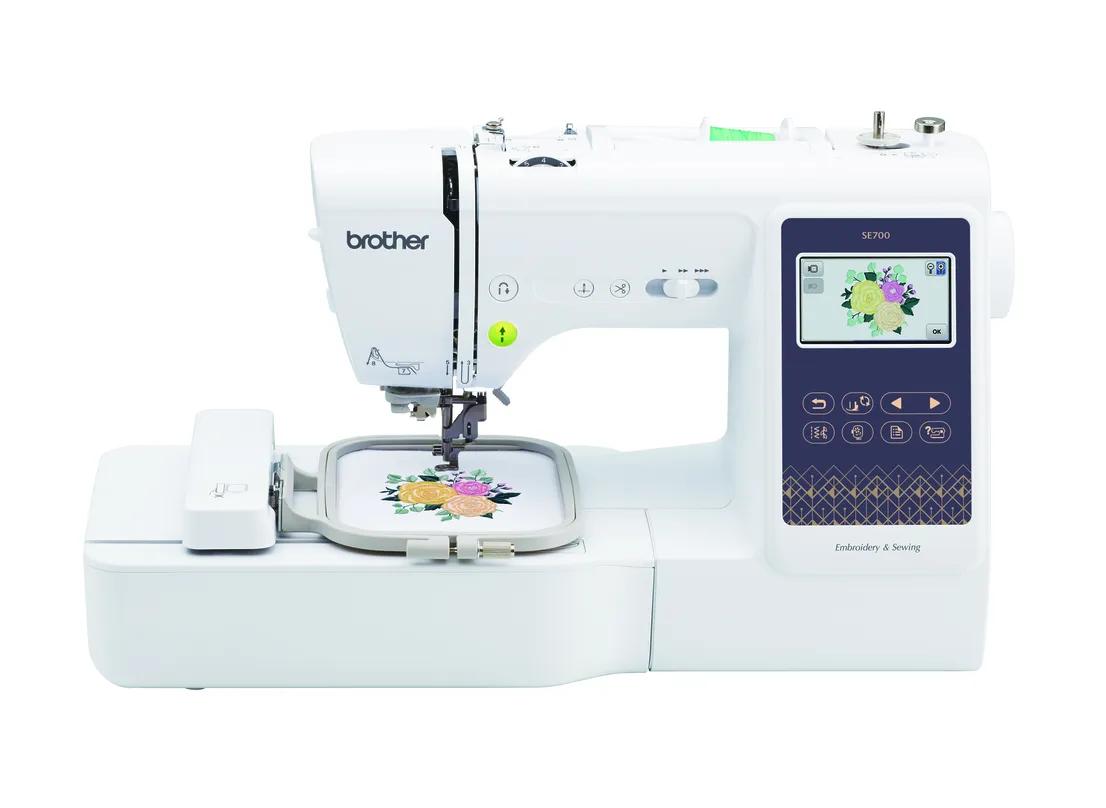
Brother SE700
Best for: Beginners who want sewing plus small embroidery in one machine, with wireless design transfer.
- Field4 × 4 in (100 × 100 mm)
- TypeSewing + embroidery
- Built-in designs135
- Max speed400 spm
- TransferUSB, Wi-Fi, Artspira app
Why pick it
- Sews and embroiders in one footprint
- Wireless transfer and Artspira app support
- 135 built-in designs and 10 fonts
Think twice if
- 4 × 4 field limits design size
- 400 spm max embroidery speed
- Switching between sewing and embroidery means attaching the embroidery unit
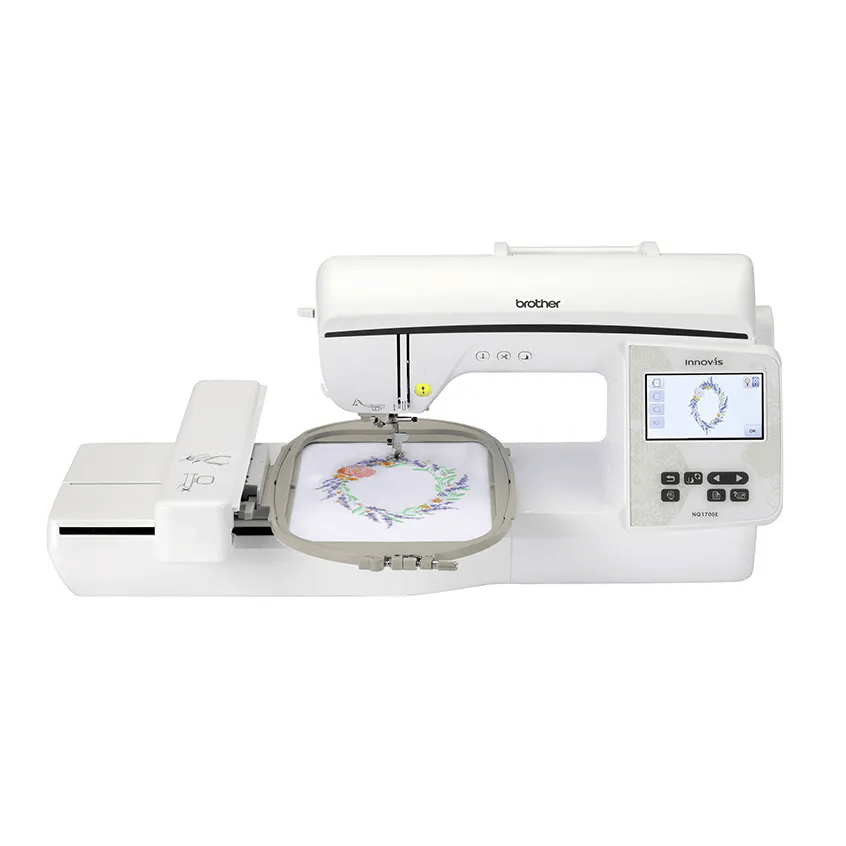
Brother NQ1700E
Best for: Beginners who already know they want bigger designs (jacket backs, larger quilt blocks) without re-hooping.
- Field6 × 10 in (160 × 260 mm)
- TypeEmbroidery only
- Built-in designs258
- Max speed850 spm
- TransferUSB, Wi-Fi, Artspira app
Why pick it
- 6 × 10 field: about 78% more area than 5 × 7
- Up to 850 spm
- Both 6 × 10 and 5 × 7 frames included
Think twice if
- No sewing functions
- More machine than many beginners need
- Still single needle
The best beginner embroidery machine is the one with an embroidery field that fits what you want to make. A long list of built-in designs, a bigger screen or a discount matter far less. This guide compares the beginner machines people actually shortlist, using each manufacturer’s published specifications, and gives you a simple rule for choosing.
We have not tested these machines hands-on. Every spec below links to the manufacturer, and where a maker’s own data conflicts, we say so. If you want a personal shortlist, the machine finder asks five questions and scores every machine in our spec database.
The 60-second answer
| Your situation | Start your comparison with | Why |
|---|---|---|
| You already sew and want room for most designs | Brother PE900 | 5 × 7 field, embroidery-only, Wi-Fi, jump stitch trimming |
| You want one machine for sewing and embroidery | Brother SE2000 | Same embroidery specs as the PE900, plus 241 sewing stitches |
| You only want monograms, names and patches | Brother PE545 | 4 × 4 field, embroidery-only, Wi-Fi |
| You want a small all-in-one | Brother SE700 or SE630 | 4 × 4 combos; the SE700 adds Wi-Fi |
| You already know 5 × 7 is too small | Brother NQ1700E or Janome 400E | 6 × 10 and 7.9 × 7.9 inch fields |
| You want a phone-first, compact machine | Brother PP1 (Skitch) | 4 × 4, no screen, controlled by the Artspira app |
If you are unsure about design size, choose 5 × 7. It costs more than 4 × 4, but if you outgrow a small field, the only fix is another machine.
How we chose these machines
We started from the models beginners commonly shortlist and checked each against the manufacturer’s product page and, where available, the operation manual. We weighed specifications against what a beginner needs to do:
- Embroidery field. This sets the largest design you can stitch in one hooping, so it carries the most weight.
- Workflow. Embroidery-only or sewing plus embroidery.
- Design transfer. USB only, or Wi-Fi and app support as well.
- Time savers. Jump stitch trimming and automatic thread cutting.
- Status. Whether the maker still lists the machine as current. Discontinued models can be fine buys used, but warranty and support change.
We did not use prices to rank machines because they change daily. Check the current price, the warranty and what is in the box with the seller.
Why the embroidery field matters most
Marketing names round the field to inches. Brother describes its 4 × 4 class as 100 × 100 mm and its 5 × 7 class as 130 × 180 mm. That makes a 5 × 7 field about 2.3 times the area of a 4 × 4 field. That is the difference between a left-chest logo and a full T-shirt front.

What typically fits:
- 4 × 4 (100 × 100 mm): monograms, names, left-chest logos, baby items, small patches, napkin corners.
- 5 × 7 (130 × 180 mm): most T-shirt fronts on adult sizes, tote bag designs, towel borders, larger quilt motifs. Many design shops sell their designs in 5 × 7 versions.
- 6 × 10 (160 × 260 mm) and larger: jacket backs, large quilt blocks and big single-hooping designs.
Watch out for one trap: a design saved at exactly 4.00 × 4.00 inches is 101.6 mm wide, which is slightly too large for a 100 mm field. Always compare millimeters. A design can also fit after a 90° rotation. Our hoop fit checker does that math for you, and 4 × 4 vs 5 × 7: what fits? covers it in depth.
Field size also interacts with stitch count. Brother’s support article lists maximum stitch counts per hoop size (30,000 for 4 × 4 and 50,000 for 5 × 7). The operation manuals for current models list higher per-pattern limits, so check your own manual. Either way, a bigger field lets you load bigger designs.
Embroidery-only or sewing + embroidery?
An embroidery-only machine, such as the PE545 or PE900, stitches designs in a hoop. It cannot sew seams. A combo, such as the SE630, SE700 or SE2000, does both, but you switch modes by attaching or removing the embroidery unit.
- Choose embroidery-only if you already own a sewing machine. You avoid paying for sewing features twice, and you can sew on your other machine while a design runs.
- Choose a combo if this is your first and only machine, or you are short on space.
The embroidery side is not weaker on a combo. The PE900 and SE2000 share the same field, design count, fonts and maximum embroidery speed. Read embroidery-only vs combo for the full decision, or the head-to-head PE900 vs SE2000.
Features that matter (and ones that don’t)
Worth paying attention to
- Wi-Fi and app transfer. The PE545, SE700, PE900 and SE2000 all list wireless transfer and Artspira support. The SE630 is USB only. Wi-Fi is not essential, but it removes a lot of shuttling of USB sticks.
- Jump stitch trimming. The PE900 and SE2000 list automatic jump stitch trimming. It means less hand-trimming of the threads that travel between parts of a design.
- Automatic thread cutting at color changes saves time on every project. All the current Brother models above list a thread cutter.
- Screen size and on-screen editing. These help with lettering and placement. The PE900 and SE2000 list a 3.7 inch LCD; the NQ1700E has 4.85 inches.
Less important than they look
- Built-in design counts. 135 vs 193 designs is a small difference once you start buying or downloading designs. Built-in fonts matter more if you plan lots of names.
- Maximum speed. It is a ceiling, not typical output. Short stitches, trims and color changes slow every design down. Our stitch time calculator shows the effect.
- Bundles. A bundle of mixed stabilizers and hundreds of thread colors is not automatically good value. You need the right stabilizer for your fabric. Our supplies checklist shows what to buy first.
The Brother lineup, decoded
Brother names can be confusing, and several popular models were recently discontinued. In short: PE models are embroidery-only, SE models sew and embroider, and NQ models step up to a 6 × 10 field.

| Discontinued model | Current successor | What changed |
|---|---|---|
| PE535 (4 × 4, embroidery-only) | PE545 | Adds Wi-Fi and Artspira; 135 vs 80 built-in designs |
| PE800 (5 × 7, embroidery-only) | PE900 | Adds Wi-Fi, Artspira, jump stitch trimming; 193 vs 138 designs |
| SE1900 (5 × 7, combo) | SE2000 | Adds Wi-Fi, Artspira, jump stitch trimming; 193 vs 138 designs |
You will still see discontinued models as remaining stock or used. They can be good buys at a real discount, but check warranty status and that the right hoop is included. Our Brother lineup guide maps every current model. The comparisons PE800 vs PE900, SE1900 vs SE2000 and PE535 vs PE545 go model by model. If you are buying used, read our used embroidery machine checklist first.
Beyond Brother: three alternatives worth knowing
- Janome Memory Craft 400E has a large 200 × 200 mm field and a maximum speed of 860 spm. It is USB only, reads Janome’s JEF format and is sold through dealers. Consider it if you have outgrown 5 × 7 and value dealer support.
- bernette 70 DECO has a 260 × 160 mm field, three hoops in the box, and broad format support: bernette’s brochure lists PES, JEF, DST, EXP and VP3 among others.
- Singer SE9180 is a combo with a large 7 inch touch screen, but its manual says it loads only VP3 files, and Singer’s own pages conflict on whether it has Wi-Fi. Confirm with the seller before buying.
For a brand-level comparison, see Brother vs Janome.
What none of these beginner machines do well
Being honest about limits saves you from the wrong purchase:
- Structured caps. Flatbed home machines such as the PE900 and SE2000 do not list cap frames. Brother lists cap frame capability on the PRS100 (single needle, free arm) and the 6-needle PR680W. See best embroidery machine for hats.
- Automatic color changes. Every single-needle machine stops for you to rethread at each color. Multi-needle machines change colors on their own. That is the main reason businesses upgrade. Read single-needle vs multi-needle.
- Designs bigger than the field. Some designs can be split in software and stitched in several hoopings, but that takes careful alignment. If big designs are your goal, buy a bigger field.
Budget for more than the machine
Plan for stabilizer, 40 wt embroidery thread, bobbin thread, embroidery needles, small curved scissors and a marking pen. Add designs or software if you want more than the built-ins. Leave a test allowance for practice fabric, because your first few stitch-outs are for learning. The startup budget calculator adds it all up, and embroidery startup cost walks through each line.
Our recommendation
Measure three projects you actually want to make. If any are bigger than 100 × 100 mm, rule out 4 × 4 machines. Then pick the workflow: the PE900 if you already sew, the SE2000 if you want one machine for everything. Choose a 4 × 4 machine such as the PE545 or SE700 only when you are confident your designs will stay small. After you buy, start here for the order to learn things in.
Spec comparison
| Model | Field | Type | Designs | Max speed | Transfer | Shop |
|---|---|---|---|---|---|---|
| Brother PE545 | 4 × 4 in | Embroidery only | 135 | 400 spm | USB, Wi-Fi, Artspira app | Check price ↗ |
| Brother SE630 | 4 × 4 in | Sewing + embroidery | 80 | — | USB | Check price ↗ |
| Brother SE700 | 4 × 4 in | Sewing + embroidery | 135 | 400 spm | USB, Wi-Fi, Artspira app | Check price ↗ |
| Brother PP1 (Skitch) | 4 × 4 in | Embroidery only | — | 400 spm | Bluetooth LE, Artspira app (required) | Check price ↗ |
| Brother PE900 | 5 × 7 in | Embroidery only | 193 | 650 spm | USB, Wi-Fi, Artspira app | Check price ↗ |
| Brother SE2000 | 5 × 7 in | Sewing + embroidery | 193 | 650 spm | USB, Wi-Fi, Artspira app | Check price ↗ |
| Brother NQ1700E | 6 × 10 in | Embroidery only | 258 | 850 spm | USB, Wi-Fi, Artspira app | Check price ↗ |
| Janome Memory Craft 400E | 7.9 × 7.9 in | Embroidery only | 160 | 860 spm | USB | Check price ↗ |
Frequently asked questions
What is the best embroidery machine for a complete beginner?
For most beginners, a 5 × 7 inch machine is the safest choice because it fits the design sizes most digitizers sell. The Brother PE900 (embroidery-only) and SE2000 (sewing + embroidery) are Brother’s current 5 × 7 models and share the same embroidery specifications.
Is a 4 × 4 embroidery machine enough for a beginner?
It is enough for monograms, names, patches and small motifs. It is not enough for full-front T-shirt designs or larger tote designs. If you outgrow a small field, the only fix is a new machine, so measure the designs you actually want to make first.
Should I buy the Brother PE800 or PE900?
Brother lists the PE800 as discontinued. It has the same 5 × 7 field and 650 spm maximum speed as the PE900, but no wireless transfer or jump stitch trimming. A used or remaining-stock PE800 makes sense only at a clear discount.
Do I need an embroidery machine that also sews?
Only if you do not already have a sewing machine you like, or you want to save space. An embroidery-only machine lets you keep sewing on your existing machine while a design stitches.
Can a beginner embroidery machine do hats?
Flatbed home machines such as the PE900 do not list cap frames. They can make patches to attach to hats and handle some flat, unstructured caps. Structured caps usually need a cap-capable machine such as the Brother PRS100 or a multi-needle machine.
What else do I need to buy with an embroidery machine?
At minimum: stabilizer (cut-away for knits, tear-away for stable wovens), 40 wt embroidery thread, embroidery bobbin thread, embroidery needles and small curved scissors. See our supplies checklist for the full list.
Sources & method
This guide is compiled from manufacturer documentation and specialist sources, not hands-on testing. We link every source so you can check it. Specifications change, so confirm details against your exact model manual. How we research.
- Brother PE900 specifications
- Brother SE2000 specifications
- Brother PE545 specifications
- Brother SE700 specifications
- Brother SE630 specifications
- Brother NQ1700E specifications
- Brother PP1 (Skitch) specifications
- Brother PE800 product page (discontinued)
- Brother support: design not recognized (stitch limits by hoop)
- Janome Memory Craft 400E specifications
- bernette 70 DECO specifications
- Singer SE9180 product page