Brother · Sewing + embroidery · 4 × 4 in
Brother SE630 review: specs, pros, cons & who it’s for
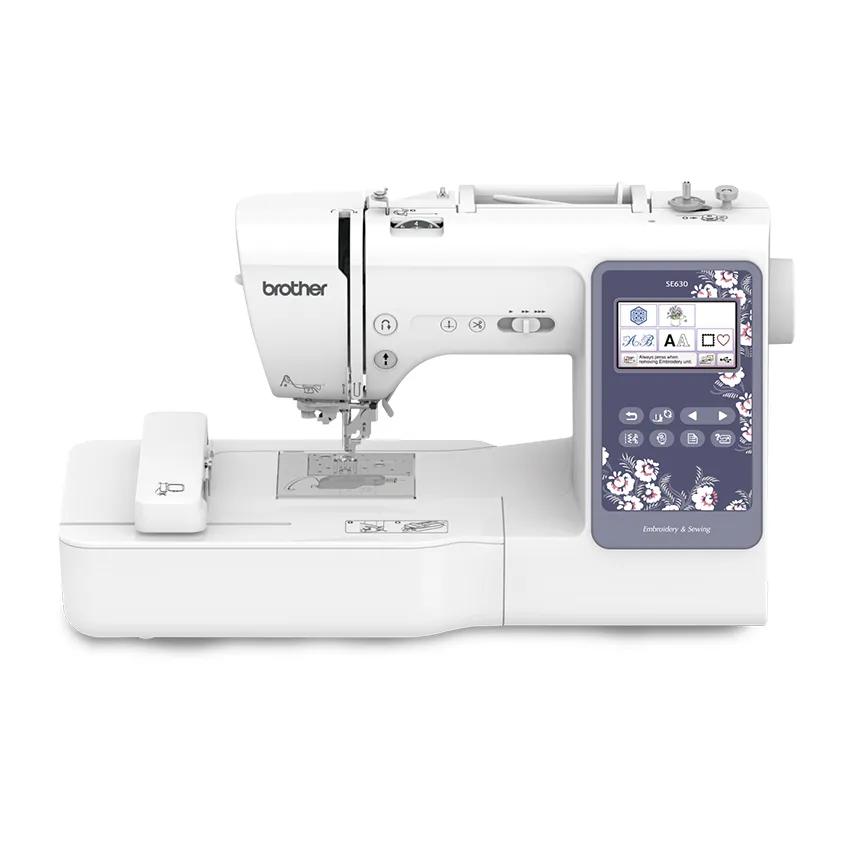
- Embroidery field
- 4 × 4 in (100 × 100 mm)
- Machine type
- Sewing + embroidery
- Built-in designs
- 80
- Design transfer
- USB
As an Amazon Associate I earn from qualifying purchases. It does not change the price you pay. How we handle links.
The short verdict
Choose it ifBeginners who want one machine for sewing and small embroidery, and are happy to use a USB stick.
Skip it ifAnyone who wants wireless transfer or designs bigger than 4 × 4 inches.
Overview
The SE630 is Brother’s simplest current sewing and embroidery combination. Brother lists a 4 × 4 inch embroidery field with an included 4 × 4 inch hoop, 80 built-in embroidery designs, 9 lettering fonts and 103 built-in sewing stitches.
Brother’s headline figure of “480 embroidery designs” combines the 80 built-in designs with 400 downloadable designs. Only 80 are stored on the machine.
Design transfer is by USB; Brother does not list wireless on this model. If wireless matters, the SE700 is the closest step up with the same field size.
Brother SE630 specifications
| Machine type | Sewing + embroidery combination |
|---|---|
| Max embroidery field | 100 × 100 mm (4 × 4 in) |
| Built-in embroidery designs | 80 |
| Built-in fonts | 9 |
| Built-in sewing stitches | 103 |
| Display | 3.7" color LCD touch screen |
| Design transfer | USB |
| Native file format | PES |
| Notable features | Automatic thread cutter · Advanced needle threader |
| Status | Listed on the manufacturer site |
Pros and cons
Strengths
- One machine for sewing and small embroidery
- 103 sewing stitches for garment and home sewing
- Simple USB workflow
Limitations
- 4 × 4 field only
- No wireless transfer listed
- “480 designs” includes 400 downloads, not built-in designs
- Brother lists the screen as both 3.7" and 3.2 × 1.8", and states no maximum embroidery speed
Brother SE6304 × 4 in · Sewing + embroidery
Check price on Amazon ↗Will your designs fit?
The 4 × 4 in label is rounded. The real limit is 100 × 100 mm. Measure the stitched design, not the fabric or the outside of the hoop, and remember a design can sometimes fit after a 90° rotation. Use the hoop fit checker with this machine preselected.
How it compares
Read our full comparison: Brother SE700 vs SE2000: 4 × 4 or 5 × 7 combo?.
| Model | Field | Type | Designs | Max speed | Transfer | Shop |
|---|---|---|---|---|---|---|
| Brother SE630 | 4 × 4 in | Sewing + embroidery | 80 | — | USB | Check price ↗ |
| Brother SE700 | 4 × 4 in | Sewing + embroidery | 135 | 400 spm | USB, Wi-Fi, Artspira app | Check price ↗ |
| Brother SE2000 | 5 × 7 in | Sewing + embroidery | 193 | 650 spm | USB, Wi-Fi, Artspira app | Check price ↗ |
| Brother PE545 | 4 × 4 in | Embroidery only | 135 | 400 spm | USB, Wi-Fi, Artspira app | Check price ↗ |
Frequently asked questions
What size designs can the Brother SE630 embroider?
Brother lists a maximum embroidery field of 100 × 100 mm (about 3.9 × 3.9 in), marketed as 4 × 4 in. A design must fit inside that field; a larger design needs splitting in software and re-hooping, or a machine with a bigger field.
Can the Brother SE630 sew as well as embroider?
Yes. The Brother SE630 is a combination machine with 103 built-in sewing stitches. You remove or attach the embroidery unit to switch between sewing and embroidery.
How do you get designs onto the Brother SE630?
Brother lists these transfer options: USB. The native format is PES. Always check that a purchased design is supplied in a compatible format and at a size that fits the 4 × 4 in field.
How many built-in designs does the Brother SE630 have?
Brother lists 80 built-in embroidery designs and 9 built-in lettering fonts. Built-in designs are enough for first projects; most people eventually buy or download additional designs.
Is the Brother SE630 good for beginners?
Beginners who want one machine for sewing and small embroidery, and are happy to use a USB stick. It is less suited to: anyone who wants wireless transfer or designs bigger than 4 × 4 inches. This verdict is based on published specifications, not hands-on testing.
How we evaluated it
We compare published manufacturer specifications against beginner needs: design size, sewing vs embroidery workflow, design transfer and built-in content. We have not tested this machine hands-on, and we never invent ratings. Read our methodology.