Buying guides
Best budget embroidery machine: entry-level picks that won’t hold you back
The best cheap embroidery machines are 4 × 4 models like the Brother PE545, SE630, PP1 and SE700. Here’s what each gives up, and when a used PE800 or a PE900 is smarter.
As an Amazon Associate I earn from qualifying purchases. It does not change the price you pay. How we handle links.
Our picks at a glance
Full pros, cons & specs for each ↓Quick answer
The best budget embroidery machine for most beginners is the Brother PE545: a current 4 × 4 embroidery-only model with Wi-Fi, 135 designs and 10 fonts. Choose the SE630 or SE700 if you also need to sew, and the PP1 only if you are happy running everything from a phone app. If you already want designs bigger than 4 × 4, a used PE800 or SE1900, or stretching to a new PE900, is usually cheaper than buying twice.
- Entry-level machines share one big limit: a 4 × 4 (100 × 100 mm) field.
- The PE545 is the budget embroidery-only pick; the SE630 and SE700 add sewing.
- The PP1 has no screen and requires the Artspira app to run.
Jump to a section
Our shortlist
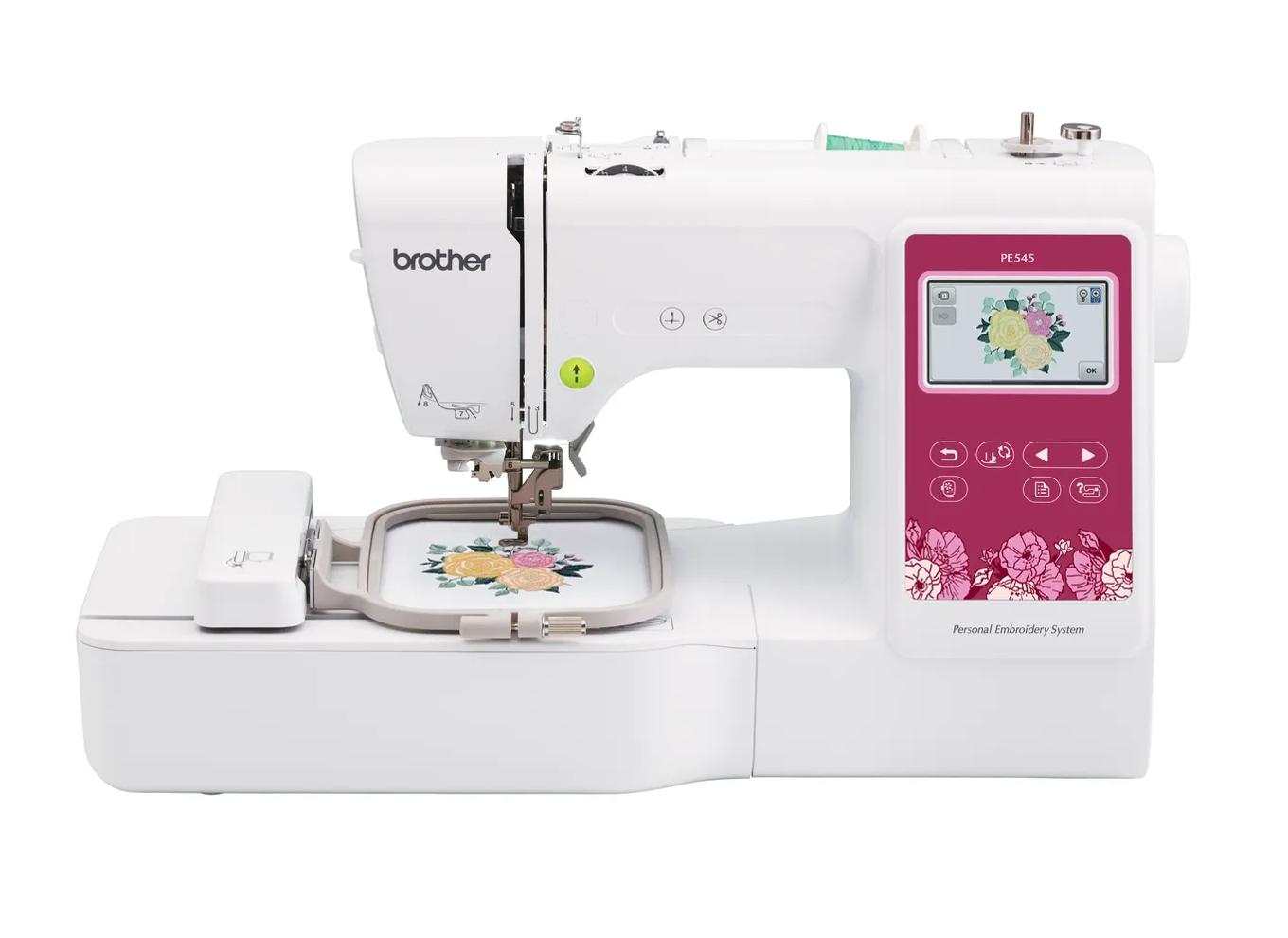
Brother PE545
Best for: Beginners who already own a sewing machine and mainly want monograms, names, patches and small motifs.
- Field4 × 4 in (100 × 100 mm)
- TypeEmbroidery only
- Built-in designs135
- Max speed400 spm
- TransferUSB, Wi-Fi, Artspira app
Why pick it
- Embroidery-only, so you are not paying for sewing features you may not need
- Wireless transfer and Artspira support, which the PE535 lacked
- 135 built-in designs and 10 fonts cover first projects
Think twice if
- 100 × 100 mm field limits design size
- Max speed of 400 spm is lower than the 5 × 7 models
- Cannot sew seams; you still need a sewing machine
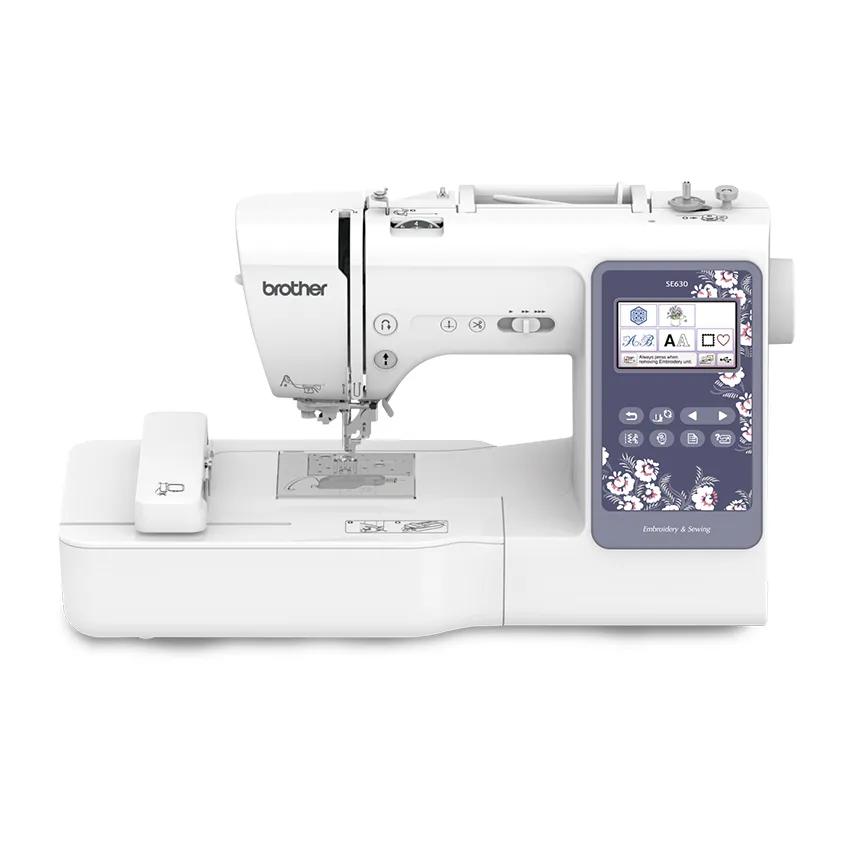
Brother SE630
Best for: Beginners who want one machine for sewing and small embroidery, and are happy to use a USB stick.
- Field4 × 4 in (100 × 100 mm)
- TypeSewing + embroidery
- Built-in designs80
- TransferUSB
Why pick it
- One machine for sewing and small embroidery
- 103 sewing stitches for garment and home sewing
- Simple USB workflow
Think twice if
- 4 × 4 field only
- No wireless transfer listed
- “480 designs” includes 400 downloads, not built-in designs
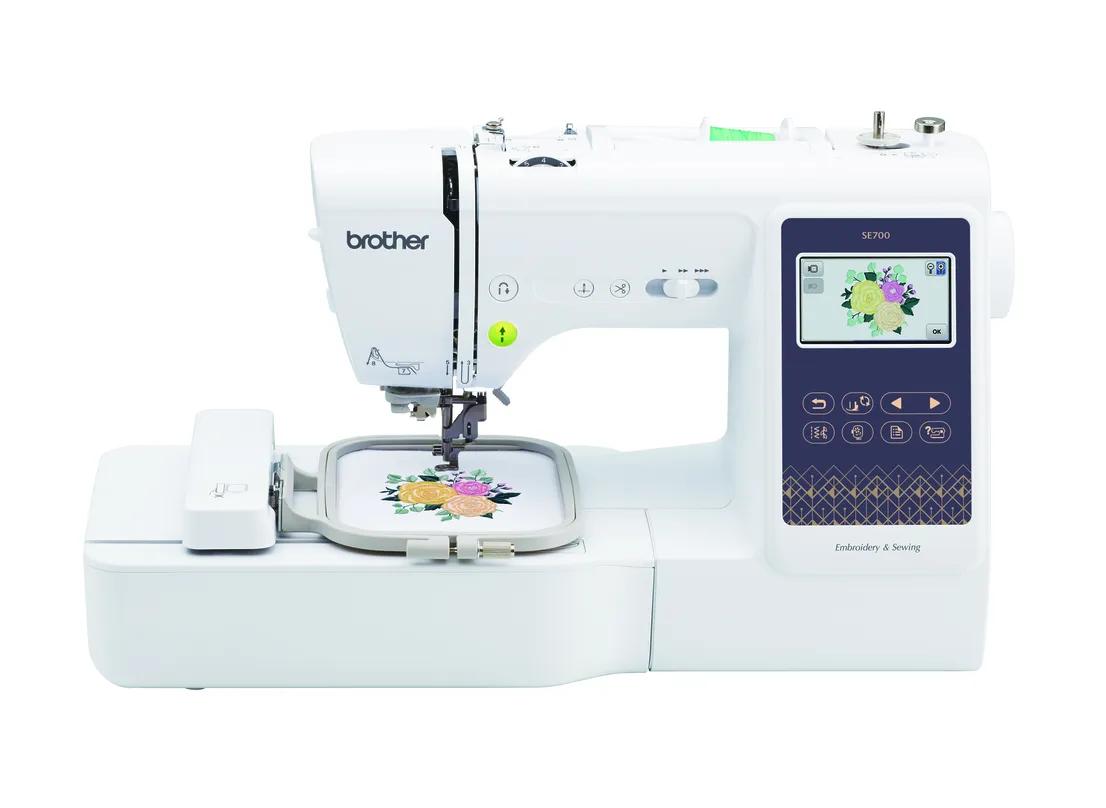
Brother SE700
Best for: Beginners who want sewing plus small embroidery in one machine, with wireless design transfer.
- Field4 × 4 in (100 × 100 mm)
- TypeSewing + embroidery
- Built-in designs135
- Max speed400 spm
- TransferUSB, Wi-Fi, Artspira app
Why pick it
- Sews and embroiders in one footprint
- Wireless transfer and Artspira app support
- 135 built-in designs and 10 fonts
Think twice if
- 4 × 4 field limits design size
- 400 spm max embroidery speed
- Switching between sewing and embroidery means attaching the embroidery unit
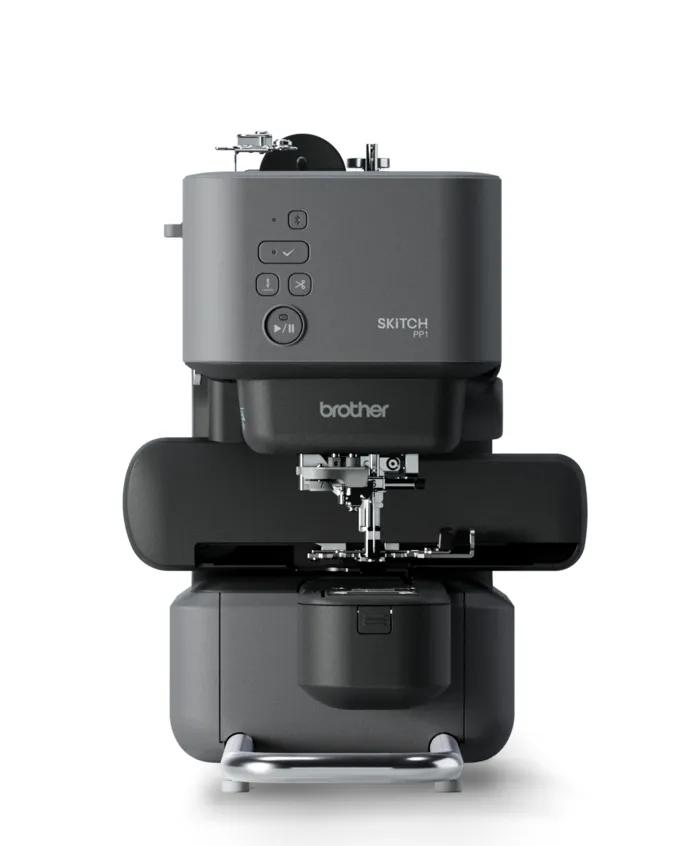
Brother PP1 (Skitch)
Best for: Phone-first crafters who want a compact, app-driven machine for small designs.
- Field4 × 4 in (100 × 100 mm)
- TypeEmbroidery only
- Max speed400 spm
- TransferBluetooth LE, Artspira app (required)
Why pick it
- Compact and app-driven
- Magnetic 4 × 4 frame included
- No computer or USB stick needed
Think twice if
- Artspira app required to operate it
- No screen for on-machine editing
- 4 × 4 field only
A budget embroidery machine is not the one with the lowest sticker price. It is the one that gets you finished projects for the least total money, without forcing you to buy a second machine six months later. That changes which machine counts as “cheap”.
This guide covers Brother’s current entry-level options, all 4 × 4 machines, and the two ways to get a bigger field for less: buying a discontinued model used, or stretching to a new PE900. We don’t list prices because they change weekly; check the current price on each card above. Everything here comes from maker specs and manuals.
What do entry-level embroidery machines have in common?
Every current Brother entry-level embroidery machine has a 4 × 4 inch (100 × 100 mm) field. That is the defining trade-off at this level. Here is how the four compare on Brother’s published data.
| Machine | Type | Field | Built-in designs | Fonts | Max embroidery speed | Transfer |
|---|---|---|---|---|---|---|
| PE545 | Embroidery-only | 4 × 4 | 135 | 10 | 400 spm | USB, Wi-Fi, Artspira |
| SE630 | Combo | 4 × 4 | 80 | 9 | Not stated on Brother’s page | USB |
| SE700 | Combo | 4 × 4 | 135 | 10 | 400 spm (manual) | USB, Wi-Fi, Artspira |
| PP1 (Skitch) | Embroidery-only | 4 × 4 | Via app | Via app | 400 spm | Bluetooth LE, Artspira required |
A 4 × 4 field handles monograms, names, small patches, baby bibs and left-chest logos well. It does not fit most full-front T-shirt or tote designs, which are commonly sold in 5 × 7 and larger sizes. If you aren’t sure, measure a design you want to make and drop it into the hoop fit checker.
Which budget embroidery machine should you choose?
Use these rules before you read the details:
- Choose the PE545 if you already sew on another machine (or don’t sew) and your designs will stay at 4 × 4 or smaller.
- Choose the SE700 if you have no sewing machine and want Wi-Fi; choose the SE630 if you want the lowest entry into sewing plus embroidery and USB is fine.
- Choose the PP1 if you want the smallest, simplest hardware and are comfortable doing everything in the Artspira app.
- Look at a used PE800 or SE1900 if you want 5 × 7 for less and can inspect the machine in person.
- Stretch to a new PE900 if you already want T-shirt fronts or totes and value a warranty.
Not sure which rule fits you? The machine finder asks about design size, sewing and transfer method and returns a short list.
Brother PE545: the budget pick for most people
Brother lists the PE545 as its current entry-level embroidery-only machine with a 4 × 4 field, 135 built-in designs, 10 fonts, up to 400 stitches per minute, a 3.7 inch touch LCD, an automatic thread cutter and Wi-Fi with Artspira support alongside USB.
Who it’s for: beginners who already own a sewing machine, or don’t need one, and want small designs and lettering.
Skip it if: you need to sew on the same machine (look at the SE700), or your designs are bigger than 4 × 4 (look at the PE900).
What you give up: field size and speed compared with the 5 × 7 machines, which Brother lists at 650 spm. It replaced the discontinued PE535; our PE535 vs PE545 comparison covers whether old stock of the PE535 is worth it.
Brother SE630 and SE700: budget combos
If you have no sewing machine yet, a combo can be the budget answer because one purchase covers both. Both have a 4 × 4 field and 103 sewing stitches.
- SE630: 80 built-in designs, 9 fonts, USB only. Brother’s “480 designs” headline includes 400 downloadable designs, so only 80 are on the machine.
- SE700: 135 designs, 10 fonts, Wi-Fi and Artspira, 400 spm embroidery per the manual.
Choose the SE630 if you want the lowest entry point into sewing plus embroidery and a USB stick is fine. Choose the SE700 if wireless transfer matters or you want the larger built-in design library. Skip both if you already own a sewing machine, because an embroidery-only model gives you the same field without paying for sewing. Our combo machine guide covers the larger combos.
Brother PP1 (Skitch): cheap to start, but app-only
The PP1 is a compact 4 × 4 machine with no screen. Brother states the Artspira app is required to use it, the manual lists Bluetooth LE as the interface, and it ships with a magnetic 4 × 4 frame. Brother advertises 100 free designs with an Artspira connection rather than a built-in design count.
Who it’s for: phone-first crafters who like doing everything in an app and want a small machine.
Skip it if: you want on-machine editing, USB transfer, or to work without a phone or tablet. Check that your device is supported by Artspira before buying. Note also that the PP1 is not listed in Brother’s PES/DST troubleshooting article, so if you plan to buy lots of PES designs from shops, confirm the app workflow first.
How do you think about total cost, not just machine price?
The machine is the biggest line, but not the only one. Before you buy, add up:
| Cost | Why it matters on a budget |
|---|---|
| Stabilizer | You use it on every project; cut-away for knits, tear-away for stable wovens |
| Embroidery thread | 40-weight polyester or rayon; a starter set of colors |
| Bobbin thread or prewound bobbins | Must match your machine’s bobbin class |
| Needles | 75/11 embroidery needles plus ballpoints for knits |
| Practice fabric and test garments | Your first stitch-outs won’t all be keepers |
| Designs and software | Free options exist; paid designs add up |
| Extra hoops or frames | Optional, but some projects are easier with them |
| The upgrade cost | If you outgrow a 4 × 4 machine, you pay for a second machine |
The last line is the one people forget. If there is a real chance you will want T-shirt fronts or tote bags within a year, the “budget” 4 × 4 machine can end up costing more than buying 5 × 7 once. Our startup budget calculator adds the machine, supplies, software and a test allowance into one number, and the startup cost guide explains each line.
You can keep software costs at zero to start. Embrilliance offers a free Express mode for lettering with BX fonts, and Ink/Stitch is a free, open-source digitizing extension for Inkscape. Our free embroidery designs guide covers where to find designs without paying.
When does a used PE800 or SE1900 make sense?
Brother lists the PE800 and SE1900 as discontinued, but both are widely sold used and as remaining stock. Both have a 5 × 7 field, so they get you out of the 4 × 4 limit for less than a new 5 × 7 machine.
- Used PE800: Brother lists the same 5 × 7 field and 650 spm as the PE900, with 138 designs and USB only. Brother’s data conflicts on fonts (11 in the description, 7 in a spec field).
- Used SE1900: 5 × 7 embroidery plus 240 sewing stitches, USB only. Brother’s data conflicts on designs (136 vs 138) and fonts, and Brother doesn’t state its embroidery speed.
A used PE800 or SE1900 makes sense if:
- The price is well below a new PE900 (or SE2000), not just slightly below it.
- The seller can show a test stitch-out and the 5 × 7 hoop is included.
- You are comfortable with a USB stick and with no jump stitch trimming.
- You accept that it likely has no Brother warranty. Brother’s home sewing warranty statement says the warranty is given to the end-use purchaser and is void if the machine wasn’t bought from an authorized Brother reseller in the US.
Stretch to a new PE900 instead if the used price is close to new, the seller can’t demonstrate the machine, or you want Wi-Fi, Artspira and jump stitch trimming. The PE900 also lists 193 designs and 13 fonts. Our PE800 vs PE900 comparison and SE1900 vs SE2000 comparison cover the details, and the used machine checklist lists what to inspect.
What do you give up at each budget level?
| Step | What you gain | What you give up |
|---|---|---|
| PP1 | Smallest, app-driven start | Screen, USB, on-machine editing |
| PE545 | Screen, USB plus Wi-Fi, 135 designs | Sewing, field larger than 4 × 4 |
| SE630 / SE700 | Sewing in the same machine | Field larger than 4 × 4; SE630 also drops Wi-Fi |
| Used PE800 / SE1900 | 5 × 7 field | Warranty (usually), Wi-Fi, jump stitch trimming |
| New PE900 | 5 × 7, Wi-Fi, jump trimming, warranty | Sewing; costs more than the 4 × 4 models |
One more limit worth knowing: Brother’s support article lists lower maximum stitch counts per design for smaller hoops (30,000 for 4 × 4 vs 50,000 for 5 × 7), while the PE545 and SE700 manuals list up to 100,000 stitches per pattern. Check your own manual if a large file won’t load.
Who should not buy a budget machine?
Skip the entry-level tier if you plan to sell embroidered items regularly, want hats, or already know your designs are big. For selling, our small business machine guide explains when time costs more than the machine. For bigger designs, the beginner machine guide compares the 5 × 7 and 6 × 10 options.
For everyone else, the PE545 or SE700 is a sensible, low-risk way to find out whether you enjoy machine embroidery.
Spec comparison
| Model | Field | Type | Designs | Max speed | Transfer | Shop |
|---|---|---|---|---|---|---|
| Brother PE545 | 4 × 4 in | Embroidery only | 135 | 400 spm | USB, Wi-Fi, Artspira app | Check price ↗ |
| Brother SE630 | 4 × 4 in | Sewing + embroidery | 80 | — | USB | Check price ↗ |
| Brother SE700 | 4 × 4 in | Sewing + embroidery | 135 | 400 spm | USB, Wi-Fi, Artspira app | Check price ↗ |
| Brother PP1 (Skitch) | 4 × 4 in | Embroidery only | — | 400 spm | Bluetooth LE, Artspira app (required) | Check price ↗ |
| Brother PE800 | 5 × 7 in | Embroidery only | 138 | 650 spm | USB | Check price ↗ |
| Brother SE1900 | 5 × 7 in | Sewing + embroidery | 138 | — | USB | Check price ↗ |
| Brother PE900 | 5 × 7 in | Embroidery only | 193 | 650 spm | USB, Wi-Fi, Artspira app | Check price ↗ |
Frequently asked questions
What is the cheapest decent embroidery machine?
In Brother’s current line, the entry-level embroidery machines are the 4 × 4 models: the PE545 (embroidery-only), the SE630 and SE700 (combos) and the app-driven PP1. Check current prices, because they change often.
Is a 4 × 4 embroidery machine worth it?
Yes, if your projects are small: monograms, names, patches, baby items and left-chest logos. If you want T-shirt fronts or tote designs, a 5 × 7 machine avoids an early upgrade.
Is a used Brother PE800 a good budget buy?
It can be. Brother lists the same 5 × 7 field and 650 spm as the PE900, but it is discontinued, USB only and has no jump stitch trimming. Ask for a test stitch-out and make sure the 5 × 7 hoop is included.
Does Brother’s warranty cover a used machine?
Brother’s home sewing warranty statement says the warranty is given to the end-use purchaser and is void if the product was not bought from an authorized Brother reseller in the US. Assume a private used sale has no Brother warranty unless the seller can prove otherwise.
Do I need to buy software with a budget machine?
Not at first. Built-in designs and fonts cover first projects, Embrilliance Express offers free lettering with BX fonts, and Ink/Stitch is a free, open-source digitizing extension for Inkscape.
Sources & method
This guide is compiled from manufacturer documentation and specialist sources, not hands-on testing. We link every source so you can check it. Specifications change, so confirm details against your exact model manual. How we research.
- Brother PE545 product page
- Brother PE545 operation manual
- Brother SE630 product page
- Brother SE700 product page
- Brother SE700 operation manual
- Brother PP1 (Skitch) product page
- Brother PE900 product page
- Brother PE800 product page
- Brother SE1900 product page
- Brother home sewing limited warranty statement
- Brother: design not recognized (stitch limits by hoop)
- Embrilliance Express (free lettering mode)
- Ink/Stitch: about