Buying guides
Used embroidery machine checklist: what to check before you buy
A checklist for buying a used or remaining-stock embroidery machine like the PE535, PE800 or SE1900: hoops, warranty, test stitch-out, firmware and scam red flags.
As an Amazon Associate I earn from qualifying purchases. It does not change the price you pay. How we handle links.
Our picks at a glance
Full pros, cons & specs for each ↓Quick answer
Before buying a used embroidery machine, confirm the exact model and what its current replacement offers, ask for proof of purchase and which hoops are included, and watch a test stitch-out in person, including loading a design from USB. Assume a private used sale has no Brother warranty: Brother’s home sewing warranty statement says it is void if the machine wasn’t bought from an authorized Brother reseller in the US. Walk away from sellers who refuse a demonstration or want gift cards or wire transfers.
- Brother lists the PE535, PE800 and SE1900 as discontinued; their replacements are the PE545, PE900 and SE2000.
- Check the hoops: a PE800 or SE1900 without its 5 × 7 hoop loses much of its value.
- Watch a real test stitch-out and a design loaded from USB before paying.
Jump to a section
Our shortlist
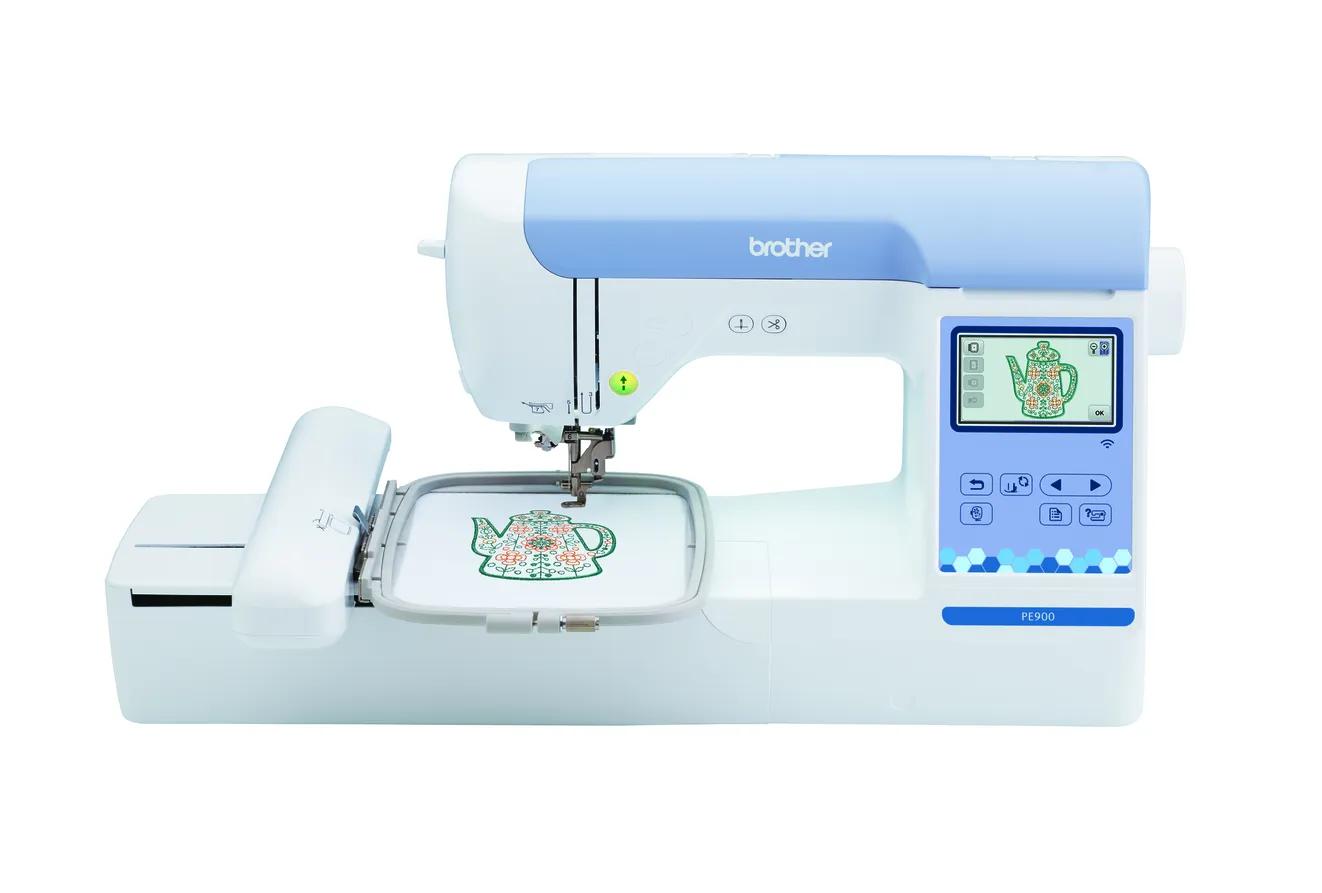
Brother PE900
Best for: Beginners who already sew (or do not need to) and want room for T-shirt fronts, totes and most popular design sizes.
- Field5 × 7 in (130 × 180 mm)
- TypeEmbroidery only
- Built-in designs193
- Max speed650 spm
- TransferUSB, Wi-Fi, Artspira app
Why pick it
- 5 × 7 field fits most popular design sizes
- Up to 650 spm
- Wireless transfer, Artspira and jump stitch trimming
Think twice if
- No sewing functions
- Single needle: you re-thread for every color
- Designs over 130 × 180 mm need splitting and re-hooping
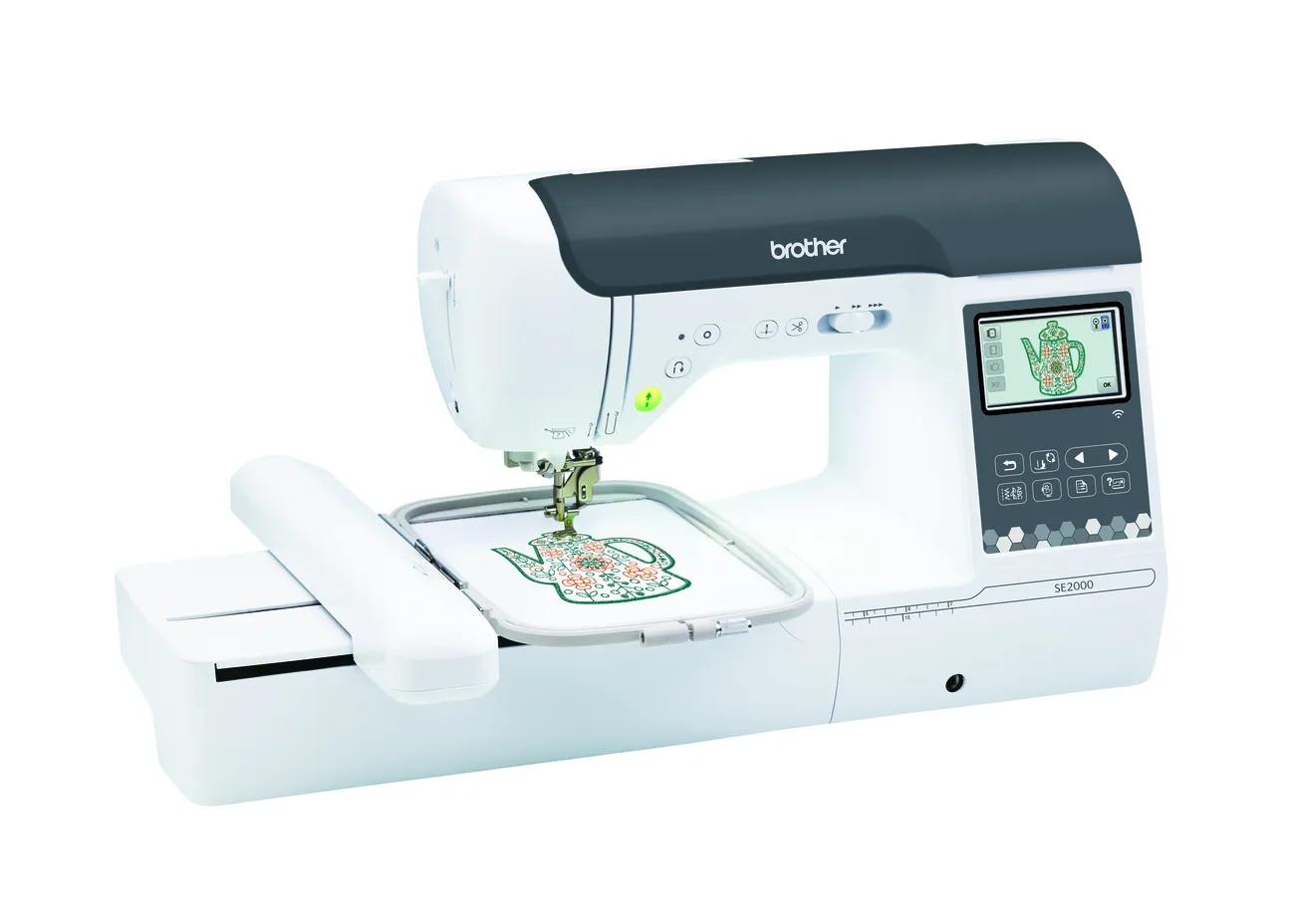
Brother SE2000
Best for: Beginners who want one machine for both sewing and 5 × 7 embroidery.
- Field5 × 7 in (130 × 180 mm)
- TypeSewing + embroidery
- Built-in designs193
- Max speed650 spm
- TransferUSB, Wi-Fi, Artspira app
Why pick it
- Sewing and 5 × 7 embroidery in one machine
- 241 sewing stitches
- Wireless transfer, Artspira and jump stitch trimming
Think twice if
- Embroidery field no larger than the PE900
- You cannot sew and embroider at the same time
- Converting between modes takes setup
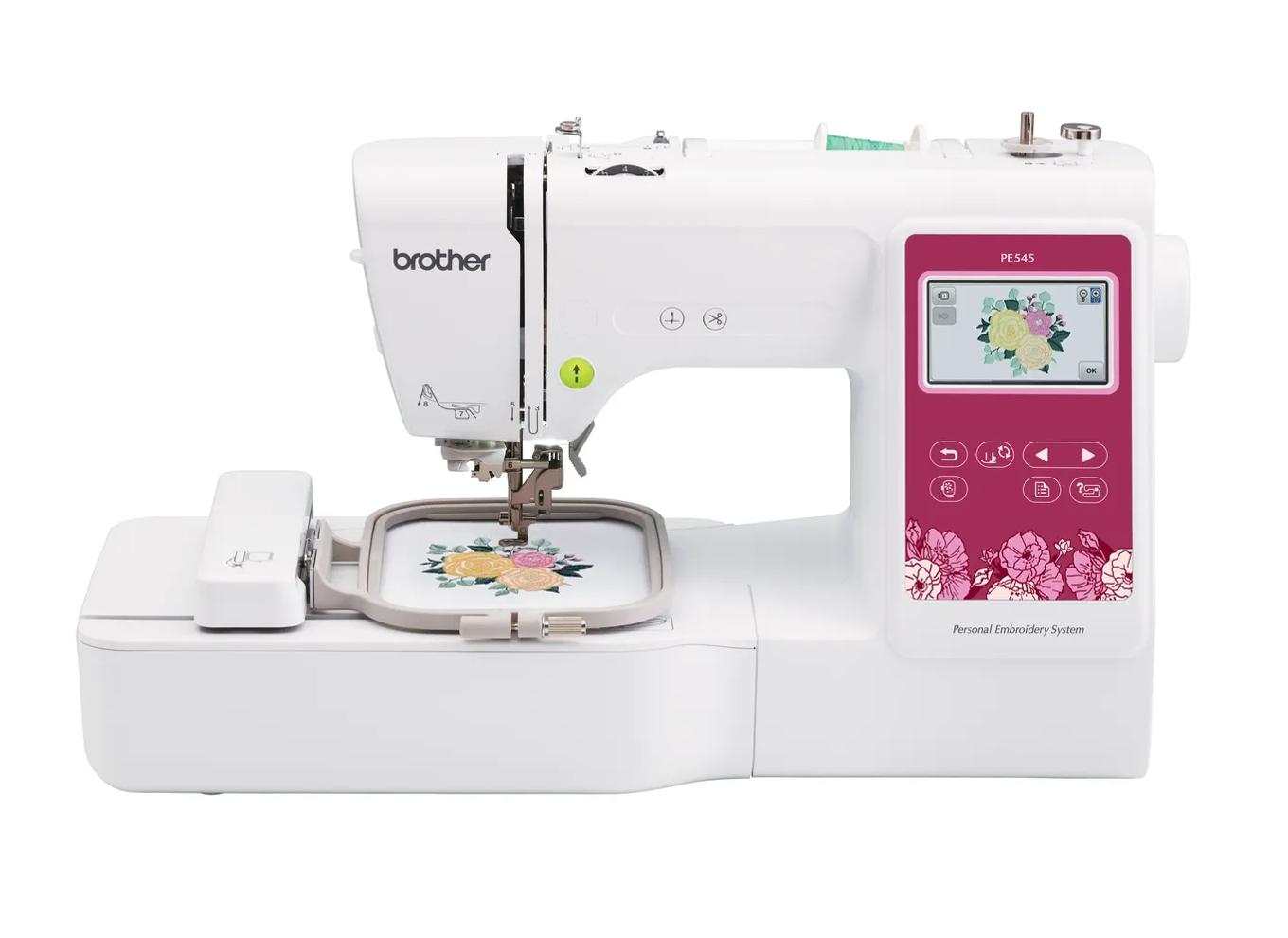
Brother PE545
Best for: Beginners who already own a sewing machine and mainly want monograms, names, patches and small motifs.
- Field4 × 4 in (100 × 100 mm)
- TypeEmbroidery only
- Built-in designs135
- Max speed400 spm
- TransferUSB, Wi-Fi, Artspira app
Why pick it
- Embroidery-only, so you are not paying for sewing features you may not need
- Wireless transfer and Artspira support, which the PE535 lacked
- 135 built-in designs and 10 fonts cover first projects
Think twice if
- 100 × 100 mm field limits design size
- Max speed of 400 spm is lower than the 5 × 7 models
- Cannot sew seams; you still need a sewing machine
Some of the most searched beginner embroidery machines are ones Brother no longer makes. The PE535, PE800 and SE1900 are all listed by Brother as discontinued, but they still turn up as remaining stock and on the used market, often at prices that look tempting next to their replacements.
A used machine can be a good deal. It can also be a machine with a missing hoop, a cracked carriage cover or a seller who never intends to ship it. This checklist covers what to verify before you pay. It is general buying guidance drawn from Brother’s documentation and consumer-protection advice, not statistics about used machines.
Step 1: Know what you’re giving up versus new
Before you look at a listing, know what the current replacement adds, so you can judge the discount.
| Discontinued model | Current replacement | What the replacement adds (per Brother) |
|---|---|---|
| PE535 (4 × 4, embroidery-only) | PE545 | Wi-Fi and Artspira, 135 vs 80 designs, 10 vs 9 fonts |
| PE800 (5 × 7, embroidery-only) | PE900 | Wi-Fi and Artspira, jump stitch trimming, 193 vs 138 designs, 13 vs 11 fonts, larger screen |
| SE1900 (5 × 7 combo) | SE2000 | Wi-Fi and Artspira, jump stitch trimming, 193 vs 138 designs, 13 vs 11 fonts |
Field size is the same in each pair, so a used machine gets you the same design size. What you lose is wireless transfer, jump stitch trimming on the 5 × 7 models, and almost certainly a warranty. Our comparisons cover each pair: PE535 vs PE545, PE800 vs PE900 and SE1900 vs SE2000.
Note that Brother’s own data for the older models has conflicts: the PE800 is listed with 11 fonts in its description and 7 in a spec field, and the SE1900 with 136 or 138 designs and conflicting font counts. Don’t treat a listing’s spec claims as a test of honesty.
Step 2: Used vs remaining stock, and the warranty question
“Remaining stock” means a new, unopened machine still in a store’s inventory. “Used” means someone owned it.
Brother’s home sewing limited warranty statement (an older document Brother hosts) says the warranty is given to the end-use purchaser, and is void if the product wasn’t bought from an authorized Brother reseller in the US, if the serial number has been modified, defaced or removed, or if it was serviced by someone other than an authorized Brother service representative. To claim, you need a dated bill of sale.
What that means in practice:
- Remaining stock from an authorized reseller: ask the dealer directly what warranty applies, and get a dated receipt.
- Private used sale: assume there is no Brother warranty, and price the machine accordingly.
- Any sale: check that the serial number label is present and readable.
Warranty terms can differ by model and date, so check the warranty that came with the specific machine.
Step 3: Questions to ask the seller
Send these before you travel or pay:
- What is the exact model number, and when and where was it bought? Is there a receipt?
- Which hoops are included? For the PE800 and SE1900, the 5 × 7 hoop is essential; for the PE535, the 4 × 4 hoop.
- For the SE1900: is the embroidery unit included? Without it, the machine is a sewing machine only.
- Are the embroidery foot, power cord, bobbin case, manual and accessories included?
- Has it been serviced, and by whom?
- Why are you selling it?
- Can I see it stitch a design in person, or on a live video call before shipping?
A seller who answers clearly and agrees to a demonstration is a good sign. Vague answers about hoops or the embroidery unit can signal an incomplete machine.
Step 4: Inspect the machine
When you see it in person, check:
| Check | What you are looking for |
|---|---|
| Serial number label | Present and readable (Brother’s warranty is void if it is removed or defaced) |
| Power-on | Screen lights, responds to touch in each corner, no error messages |
| Carriage | Moves to its start position on power-up with the hoop removed; nothing blocks it |
| Embroidery unit (SE1900) | Slides in and seats with no gap; Brother’s SE2000 manual warns a gap can stop patterns stitching correctly |
| Hoops | Inner and outer rings intact, no cracks, clamp or clip works |
| Needle area | Needle not bent; needle plate free of deep burrs or gouges |
| Bobbin case | Present, undamaged, correct for embroidery bobbin thread |
| USB port | Physically intact; you’ll test it in step 5 |
Brother’s SE2000 manual says the carriage moves to its initial position when you power on with the embroidery unit attached. Other models behave similarly, but check the manual for the model you’re buying.
Step 5: Watch a test stitch-out
This is the most important step. Bring:
- A piece of stable woven fabric already hooped with tear-away stabilizer, or ask the seller to hoop one.
- A USB stick with a small, known-good PES design, under the stitch limits Brother lists for that hoop size.
- A fresh 75/11 embroidery needle, in case the installed one is worn.
Then:
- Stitch a built-in design with at least three colors. Confirm the machine stops at each color change and, where the model has it, trims the thread. Brother lists automatic thread cutting for the PE535.
- Check the outline lines up with the fill. Brother lists a loose frame, no stabilizer or the frame hitting an object as causes of misalignment, so rule those out first; if it’s still off, be cautious.
- Turn the fabric over. Madeira says satin stitches should show about one-third bobbin thread and two-thirds top thread on the underside. Only top thread on the back, or bobbin thread showing on top, points to tension issues.
- Load your USB design. This proves the port works and the machine reads PES files. If it won’t load, our machine not reading PES guide covers the usual causes.
- For the SE1900: remove the embroidery unit and sew a straight seam and a zigzag to test the sewing side.
Brother’s manual says to replace the needle if you hear an unusual sound or see skipped stitches, so swap in your fresh needle before judging the machine harshly. Persistent thread nests or breaks after re-threading are a reason to walk away.
Step 6: Check firmware and manuals
Brother’s PE800 support page points to drivers, downloads and manuals on Brother’s Online Solution Center. Before buying, look up the model there to see what downloads exist, and download the operation manual if the seller doesn’t have one. If the machine’s settings screen shows a version number, compare it with what Brother offers.
Step 7: Price in what’s missing
A used machine’s real cost is the asking price plus everything you need to make it usable. Before you agree on a price, list:
- Missing hoops or the embroidery unit. Check whether replacements for a discontinued model are still sold, and at what cost, before assuming you can replace them.
- A service visit. If the machine hasn’t been serviced in years, budget for a check-up at a Brother authorized service center.
- Fresh consumables. New needles, embroidery bobbin thread (Brother’s manual says the included bobbin case is set for 90-weight bobbin thread), stabilizer and thread. These are the same as for a new machine.
- Your time. A machine you can’t test on the spot may cost you trips, returns or repairs.
Add those to the asking price and compare with a new PE545, PE900 or SE2000. If the gap is small, the new machine’s warranty and added features usually win.
Step 8: Avoid scams
Most used-machine scams are ordinary online-sale scams. The FTC’s advice applies directly:
- Payment method: the FTC says never pay someone who insists you can only pay by cryptocurrency, a wire transfer service, a payment app or a gift card.
- Pressure: the FTC notes “scammers want you to act before you have time to think.” A seller rushing you is a red flag.
- Overpayment checks: the FTC warns against depositing a check and sending money back.
Practical rules: see it run before you pay, meet somewhere public and safe, prefer payment methods with buyer protection, and be wary of listings priced far below others for the same model, especially when the seller will only ship.
Red flags at a glance
| Red flag | Why it matters |
|---|---|
| No demonstration, “works perfectly, no time to test” | You can’t verify the main function |
| Missing 5 × 7 hoop (PE800, SE1900) | The main reason to buy these models |
| SE1900 without the embroidery unit | It can’t embroider |
| Serial number missing or scratched off | Possible theft; Brother’s warranty is void |
| Gift card, wire or crypto only | The FTC lists these as scam payment methods |
| Price close to a new replacement | You lose features and warranty for little saving |
When should you buy new instead?
Buy the current model if the used price is close to new, the seller can’t demonstrate it, key parts are missing, or you want Wi-Fi and jump stitch trimming. The budget machine guide covers the entry-level new options, and the startup budget calculator helps compare a used machine plus missing parts against a new one with supplies.
Spec comparison
| Model | Field | Type | Designs | Max speed | Transfer | Shop |
|---|---|---|---|---|---|---|
| Brother PE535 | 4 × 4 in | Embroidery only | 80 | — | USB | Check price ↗ |
| Brother PE545 | 4 × 4 in | Embroidery only | 135 | 400 spm | USB, Wi-Fi, Artspira app | Check price ↗ |
| Brother PE800 | 5 × 7 in | Embroidery only | 138 | 650 spm | USB | Check price ↗ |
| Brother PE900 | 5 × 7 in | Embroidery only | 193 | 650 spm | USB, Wi-Fi, Artspira app | Check price ↗ |
| Brother SE1900 | 5 × 7 in | Sewing + embroidery | 138 | — | USB | Check price ↗ |
| Brother SE2000 | 5 × 7 in | Sewing + embroidery | 193 | 650 spm | USB, Wi-Fi, Artspira app | Check price ↗ |
Frequently asked questions
Is it safe to buy a used embroidery machine?
It can be, if you see it run. Watch a test stitch-out in person, check the hoops and accessories, and pay with a method that offers buyer protection. Skip sellers who won’t demonstrate the machine.
Does a used Brother embroidery machine have a warranty?
Usually not. Brother’s home sewing warranty statement says the warranty is given to the end-use purchaser and is void if the product wasn’t bought from an authorized Brother reseller in the US. Remaining new stock from an authorized dealer is a different case; ask the dealer.
Is a used PE800 still worth buying?
At the right price, yes. Brother lists the same 5 × 7 field and 650 spm as the PE900, but the PE800 is discontinued, USB only and lacks jump stitch trimming. If the used price is close to a new PE900, buy new.
What should come with a used SE1900?
At minimum, the embroidery unit, the 5 × 7 hoop, the embroidery foot, the power cord and bobbin case. Ask for the manual too, or download it from Brother’s support site.
How do I test a used embroidery machine?
Stitch a multi-color built-in design on hooped fabric with stabilizer, then load a small PES file from a USB stick. Check that colors stop and trim, outlines line up, and the back shows some bobbin thread under satin columns.
Sources & method
This guide is compiled from manufacturer documentation and specialist sources, not hands-on testing. We link every source so you can check it. Specifications change, so confirm details against your exact model manual. How we research.
- Brother PE535 product page
- Brother PE800 product page
- Brother SE1900 product page
- Brother PE545 product page
- Brother PE900 product page
- Brother SE2000 product page
- Brother home sewing limited warranty statement
- Brother PE800 support page
- Brother SE2000 operation manual (embroidery unit)
- Brother operation manual: thread
- Brother operation manual: needles
- Brother operation manual: list of symptoms
- Brother: design not recognized (stitch limits)
- Madeira: adjusting thread tensions
- FTC: how to avoid a scam