Best sewing and embroidery machine combo for beginners
The best sewing and embroidery machine combos for beginners, compared by hoop size, file format and setup, with clear rules on when a combo is the wrong buy.
For most beginners who want one machine for both sewing and embroidery, the Brother SE2000 is the safest pick: it has the same 5 × 7 embroidery specs as the PE900 plus 241 sewing stitches. Choose the SE700 if your designs will stay 4 × 4 and you want Wi-Fi, and the NQ3550W or bernette 79 if you already know you need a larger field. Skip a combo if you already own a sewing machine you like.
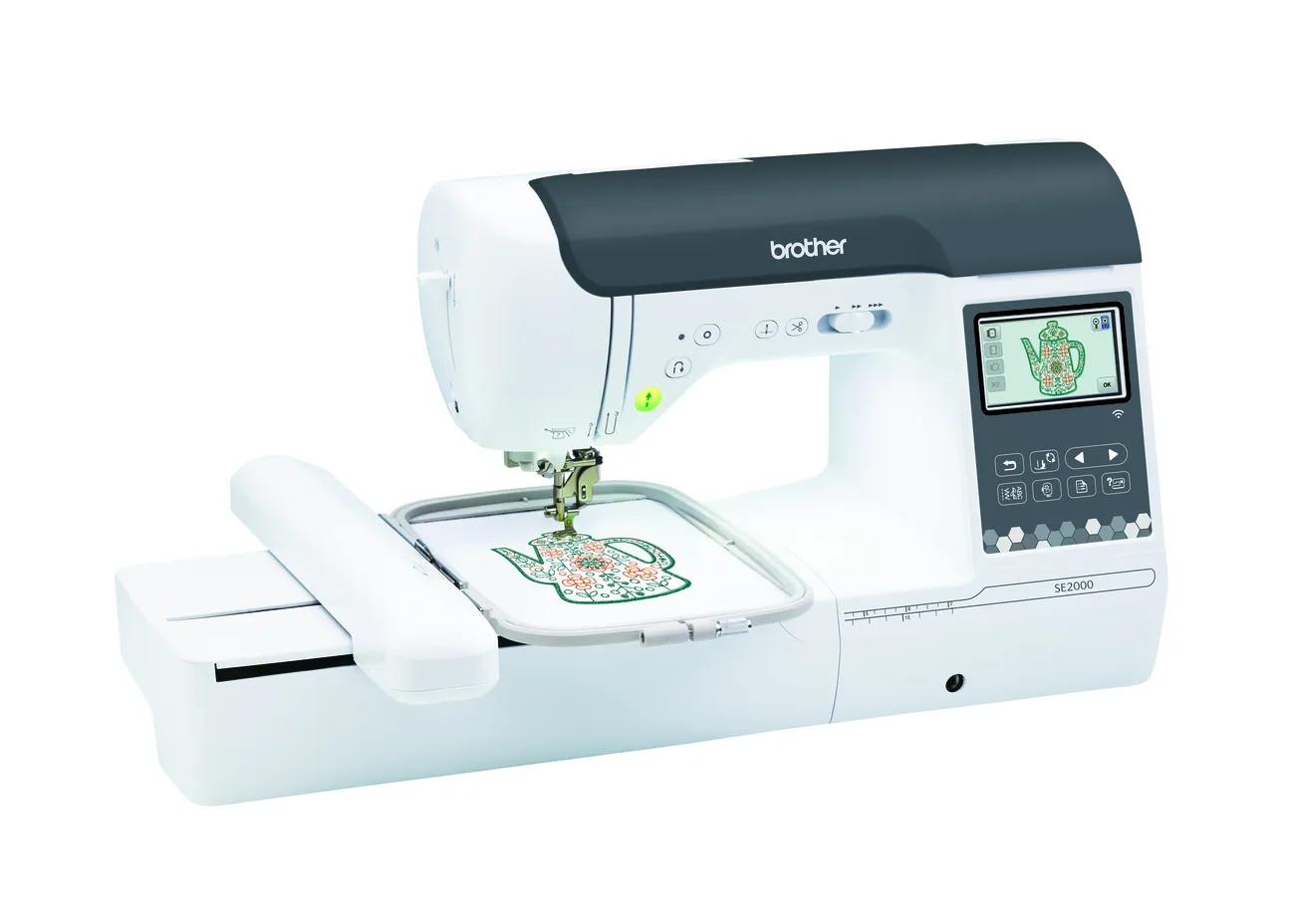
The SE2000 is the default combo pick: 5 × 7 field, 650 spm embroidery, Wi-Fi and jump stitch trimming.
A 4 × 4 combo (SE630, SE700) is fine for names and small motifs but is easy to outgrow.
You cannot sew and embroider at the same time; switching means attaching the embroidery unit and changing the foot.
Jump to a section
Our shortlist
Picks are based on published manufacturer specifications checked October 7, 2026. Confirm current price, warranty and included accessories with the seller.
A sewing and embroidery combo is one machine that does two jobs: regular sewing with a presser foot, and machine embroidery once you attach an embroidery unit that moves a hoop under the needle. For a beginner with no sewing machine yet, it can save money and desk space. For someone who already sews, it is often the wrong buy.
This guide compares the current combos most beginners shortlist, using maker specs only. EmbroideryWise is research-based: we compare published specifications and manuals, and we flag it when a maker’s own data conflicts.
Which combo should you buy?
Start with the largest design you expect to stitch, then decide how much sewing you need. The table gives the short version.
If you…
Choose
Why
Want one machine and are not sure how big your designs will get
If you are torn between two of these, our machine finder asks five questions and narrows the list based on field size, workflow and whether you need sewing.
How does a combo switch between sewing and embroidery?
This is the part product pages skip. A combo does not embroider with the sewing setup; you convert it. Brother’s SE2000 manual lists these preparation steps before embroidering:
Remove the regular presser foot and attach embroidery foot “Q”.
Check you are using a 75/11 needle for embroidery.
Turn the machine off, pull the flat bed attachment off to the left, and slide the embroidery unit into the connection port.
Wind embroidery bobbin thread and put it in the bobbin case.
Hoop your fabric with stabilizer, attach the hoop and select a design.
When you power back on, the manual says the carriage moves to its starting position, and that utility stitches cannot be selected while the embroidery unit is attached. To sew again, you reverse the process: turn the machine off, remove the unit and put the sewing foot back on.
None of this is hard, but it adds setup time. If you expect to sew a seam, embroider, then sew again many times in one session, two machines are more convenient. If you sew one weekend and embroider the next, a combo is fine.
What do you give up at each level?
Every step down saves money but costs you something specific. Here is what changes as you move through the current combos.
Level
Example
Field
What you give up compared with the next level up
Entry 4 × 4, USB
SE630
100 × 100 mm
Wi-Fi and Artspira, 55 fewer built-in designs than the SE700
Nothing major on field size; mainly cost and desk space
The biggest jump in usefulness is from 4 × 4 to 5 × 7. A 130 × 180 mm field holds more than twice the area of a 100 × 100 mm field, and many purchased designs come in a 5 × 7 version. Our 4 × 4 vs 5 × 7 hoop guide shows what each size fits in practice.
Brother SE2000: the default combo for most beginners
Brother lists the SE2000 with a 5 × 7 field, 193 built-in embroidery designs, 13 fonts, 241 sewing stitches, embroidery up to 650 stitches per minute and sewing up to 850. It has Wi-Fi, Artspira app support and jump stitch trimming.
Its embroidery side matches the embroidery-only PE900 spec for spec, which makes the choice between them simple: you are paying for the sewing side. Our PE900 vs SE2000 comparison walks through that decision.
Who it’s for: first-time buyers who want to hem, mend and make simple projects, and who want room for T-shirt fronts and tote designs.
Skip it if: you already own a sewing machine you like (buy the PE900 instead), or you know you need more than 5 × 7 in one hooping.
What you give up: you still re-thread for every color, as with any single-needle home machine, and designs bigger than 130 × 180 mm need splitting and re-hooping.
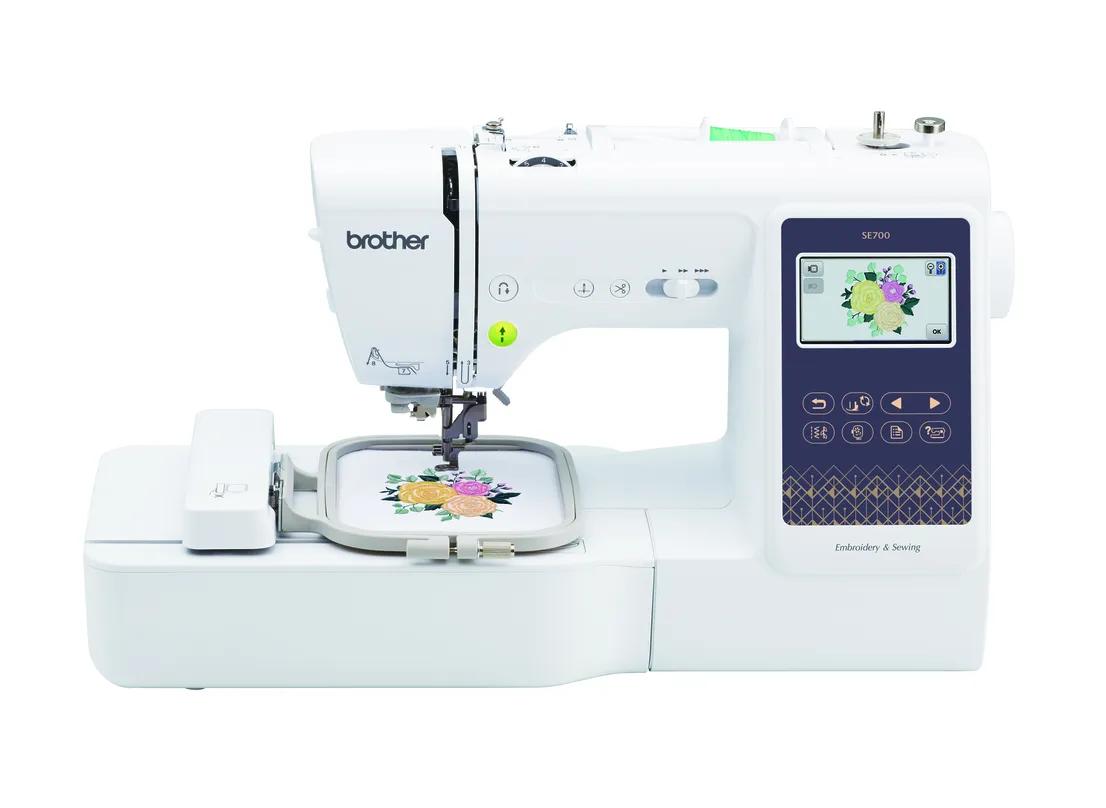
Brother SE700 and SE630: the 4 × 4 combos
The SE700 and SE630 share a 4 × 4 field and 103 sewing stitches. The differences are connectivity and built-in content. Brother lists the SE700 with 135 designs, 10 fonts, Wi-Fi and Artspira, and its manual gives a 400 spm maximum embroidery speed. The SE630 has 80 built-in designs and 9 fonts and transfers by USB only.
Watch the SE630’s “480 designs” headline. Brother’s page explains that figure combines 80 built-in designs with 400 downloadable ones, so only 80 live on the machine.
Who they’re for: sewists who mainly want names on bags, baby items, small patches and monograms.
Skip them if: you can already picture designs bigger than about 4 inches. The SE700 vs SE2000 question comes up often enough that we wrote a full SE700 vs SE2000 comparison.
Choose the SE700 over the SE630 if you want to send designs from a phone or computer without a flash drive. Choose the SE630 if the lowest entry point matters more and a USB stick doesn’t bother you.
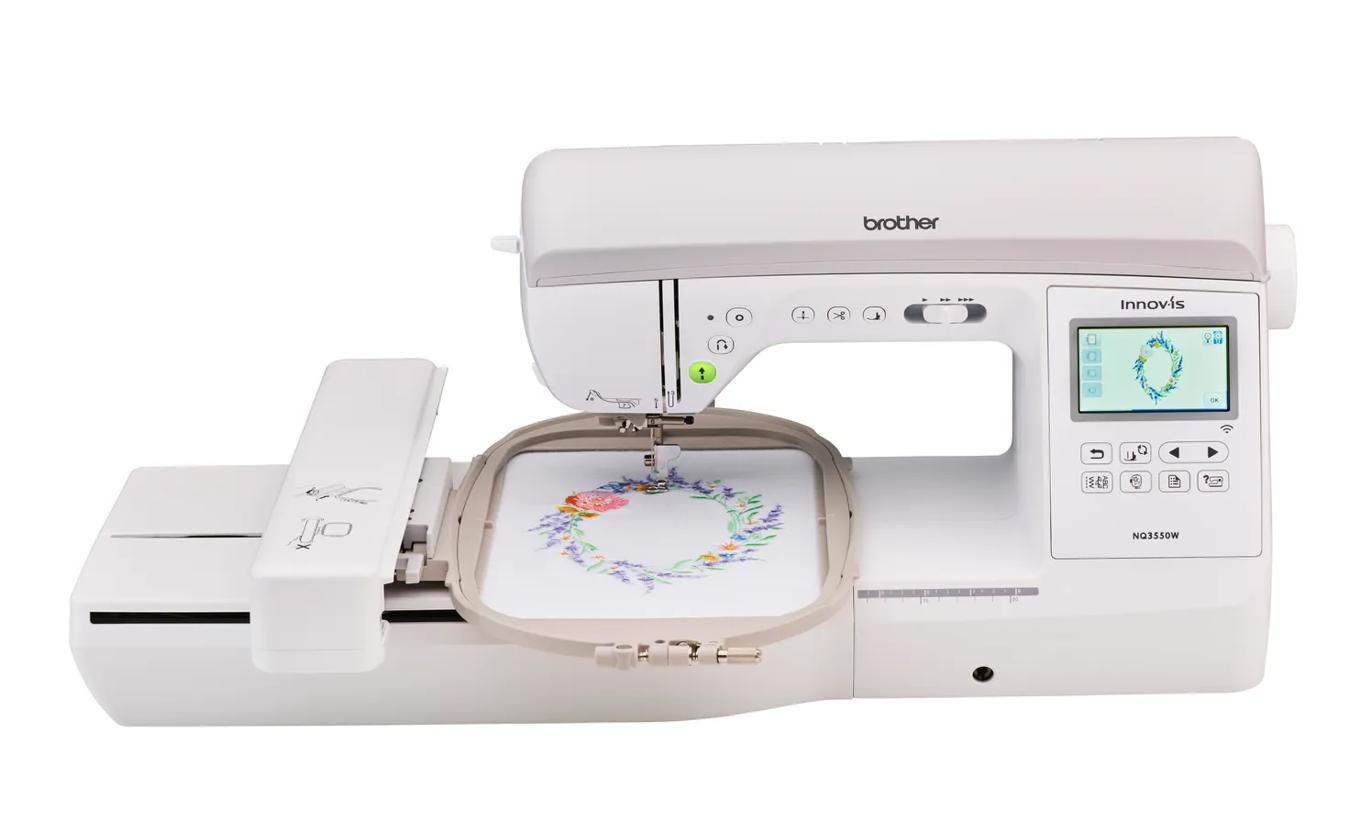
Brother NQ3550W: when you already know you need 6 × 10
Brother lists the NQ3550W with a 6 × 10 field, 258 embroidery designs, 291 sewing stitches, speeds up to 850 stitches per minute and a 3.67 inch touch screen, plus Wi-Fi and Artspira.
It makes sense for quilters and home-decor sewists who want large embroidered blocks without re-hooping. For a beginner who isn’t sure yet, it is more machine than you need, and the SE2000 covers most popular design sizes.
Skip it if your projects fit 5 × 7, or if you would rather put the difference toward stabilizer, thread and designs.
Non-Brother combos: Janome, bernette and Singer
Janome Memory Craft 9850
Janome lists a 170 × 200 mm (6.7 × 7.9 in) field, 175 designs, 200 sewing stitches, 800 spm embroidery and USB transfer. It reads Janome’s JEF and JEF+ formats.
The trade-off is lettering: Janome lists only 2 built-in fonts, so plan on software if you want monograms. It is also sold through dealers, so compare dealer support as well as price.
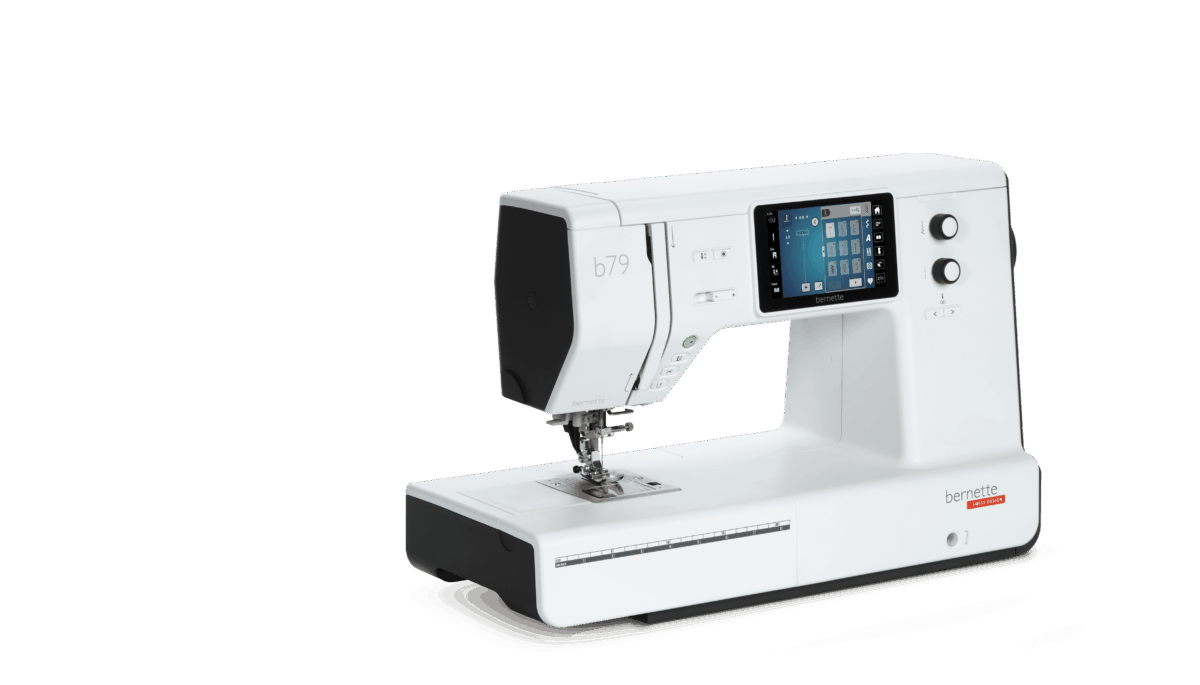
bernette 79
bernette lists a 260 × 160 mm field, 208 designs, 7 fonts, 500 sewing stitches, 850 spm embroidery, sewing up to 1,000 spm and a 5 inch color touch screen. It includes small, medium and large hoops.
Its standout feature for beginners is file support: bernette’s brochure lists PES, DST, EXP, JEF, VP3 and other formats, so most purchased designs load without conversion. It does not list wireless transfer.
Singer SE9180: read the caveats first
Singer lists 150 designs, 10 fonts, more than 250 stitches, 450 spm embroidery and a 7 inch color touch screen. The included hoop and maximum field are 170 × 100 mm, wider than 4 × 4 but only 100 mm tall, so it is not a 5 × 7 machine.
Two caveats matter. The manual says the machine loads only VP3 files, a format Hatch associates with Husqvarna Viking and Pfaff, so designs sold as PES need to be bought in VP3 or converted. And Singer’s own pages conflict on Wi-Fi: the product bullets and manual describe Wi-Fi, while Singer’s FAQ says it is not Wi-Fi enabled. The FAQ also gives a different embroidery area from the bullets and manual. Confirm both with the seller before buying.
Brother machines, by comparison, read PES, DST, PHC and PEN according to Brother support. Our embroidery file formats guide explains why the format matters when you shop for designs.
When is a combo the wrong choice?
A combo is a good deal only if you will actually use both halves. It is the wrong buy when:
You already own a sewing machine you like. An embroidery-only model such as the PE900 has the same embroidery specs as the SE2000 without paying for a second set of sewing features.
You want to sew and embroider in the same session. With one machine, you convert back and forth; with two, one can stitch a design while you sew on the other.
You expect to upgrade embroidery soon. If you might move to a larger field or a multi-needle machine within a year, a separate sewing machine keeps working after you sell the embroidery machine.
One machine for everything worries you. If it goes in for service, you lose both sewing and embroidery until it comes back.
The machine is only part of the cost. For embroidery you need stabilizer, 40-weight embroidery thread, embroidery bobbin thread and spare 75/11 needles, which Brother’s manuals call for. Our embroidery supplies checklist lists the essentials, and the startup budget calculator adds them up before you buy.
How to decide in three steps
Measure a design you want to make. If it is bigger than 4 × 4 inches, skip the SE630 and SE700. Check it in the hoop fit checker.
Decide whether you need sewing. If you already sew on another machine, look at embroidery-only models in our beginner machine guide.
Check the file format. Brother reads PES; Janome uses JEF; the Singer SE9180 needs VP3; bernette reads many formats. Buy designs in the format your machine reads.
For most people who get to step three with a yes to sewing and an “I’m not sure” on design size, the SE2000 is the answer.
Spec comparison
Manufacturer specifications, checked October 7, 2026. Maximum speed is a ceiling, not typical output.
Can a combo machine sew and embroider at the same time?
No. On the Brother SE2000, for example, the manual says utility (sewing) stitches cannot be selected while the embroidery unit is attached, so you work in one mode at a time.
Is the SE2000 embroidery the same as the PE900?
Brother lists the same embroidery specs for both: a 5 × 7 field, 193 designs, 13 fonts, 650 spm, Wi-Fi, Artspira and jump stitch trimming. The SE2000 adds 241 sewing stitches.
Is a 4 × 4 combo enough for a beginner?
It is enough for monograms, names, patches and small motifs. If you can picture T-shirt fronts, totes or larger quilt blocks, a 5 × 7 combo like the SE2000 avoids an early upgrade.
Do I need different thread in the bobbin for embroidery?
Yes. Brother’s SE2000 manual tells you to wind embroidery bobbin thread for embroidery, and Brother recommends 40-weight rayon or polyester embroidery thread on top for most designs.
Should I buy a used SE1900 instead of a new SE2000?
Only at a clear discount. Brother lists the SE1900 as discontinued; it has the same 5 × 7 field but USB only and no jump stitch trimming. Use our used-machine checklist before you pay.
✓
Sources & method
This guide is compiled from manufacturer documentation and specialist sources, not hands-on testing. We link every source so you can check it. Specifications change, so confirm details against your exact model manual. How we research.
 Best Brother combo for bigger designs (6 × 10)Check price