Comparisons
Brother SE700 vs SE2000: 4 × 4 or 5 × 7 combo?
Brother SE700 vs SE2000: a 4 × 4 vs 5 × 7 sewing and embroidery combo. Every spec difference, hoop-size regret, and the SE630 as the no-Wi-Fi option.
As an Amazon Associate I earn from qualifying purchases. It does not change the price you pay. How we handle links.
Our picks at a glance
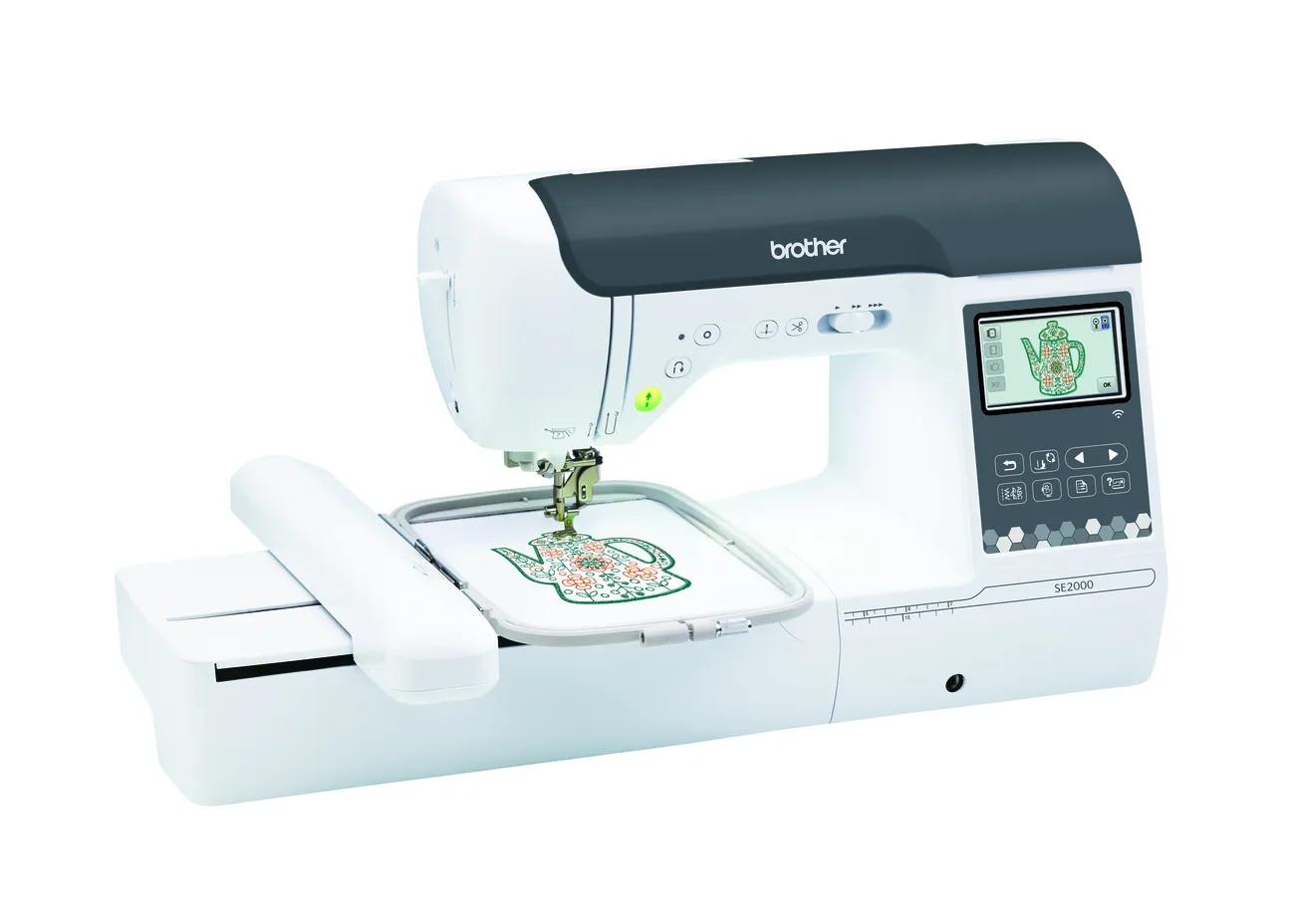 Most first-and-only machine buyers: room for T-shirt fronts and totesCheck price
Brother SE2000
5 × 7 in · Sewing + embroidery · Wi-Fi
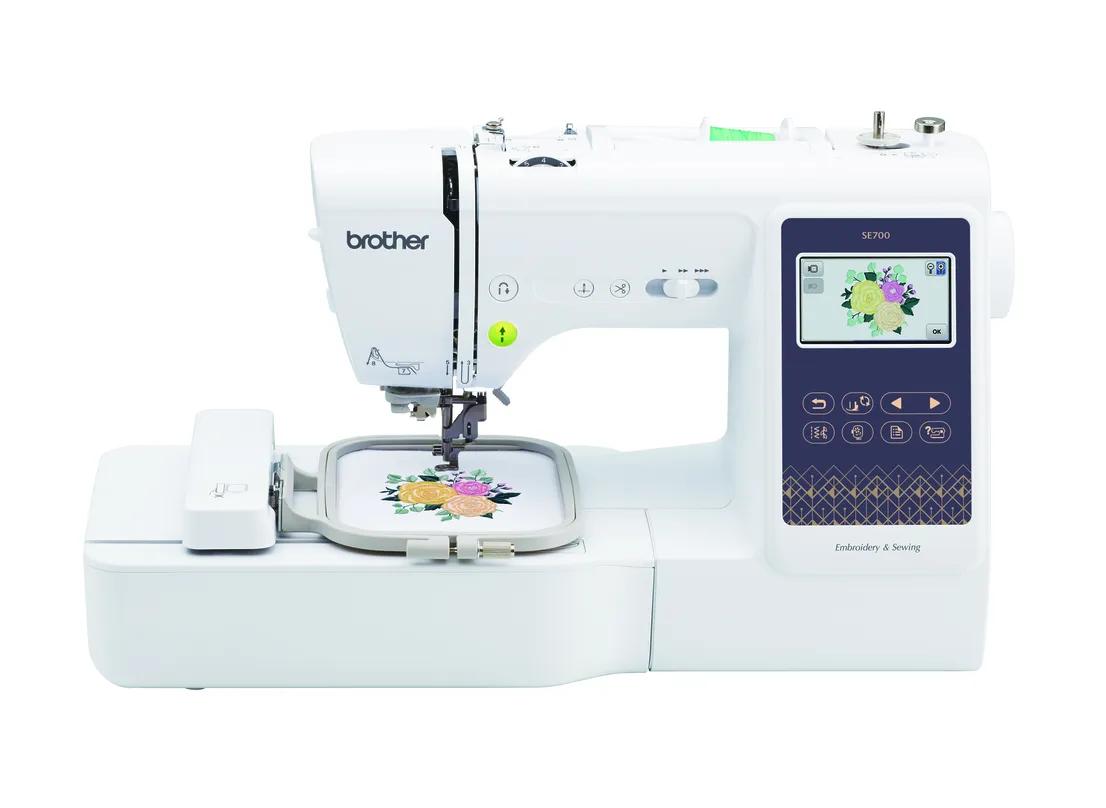 Small designs only (monograms, patches) and wants Wi-FiCheck price
Brother SE700
4 × 4 in · Sewing + embroidery · Wi-Fi
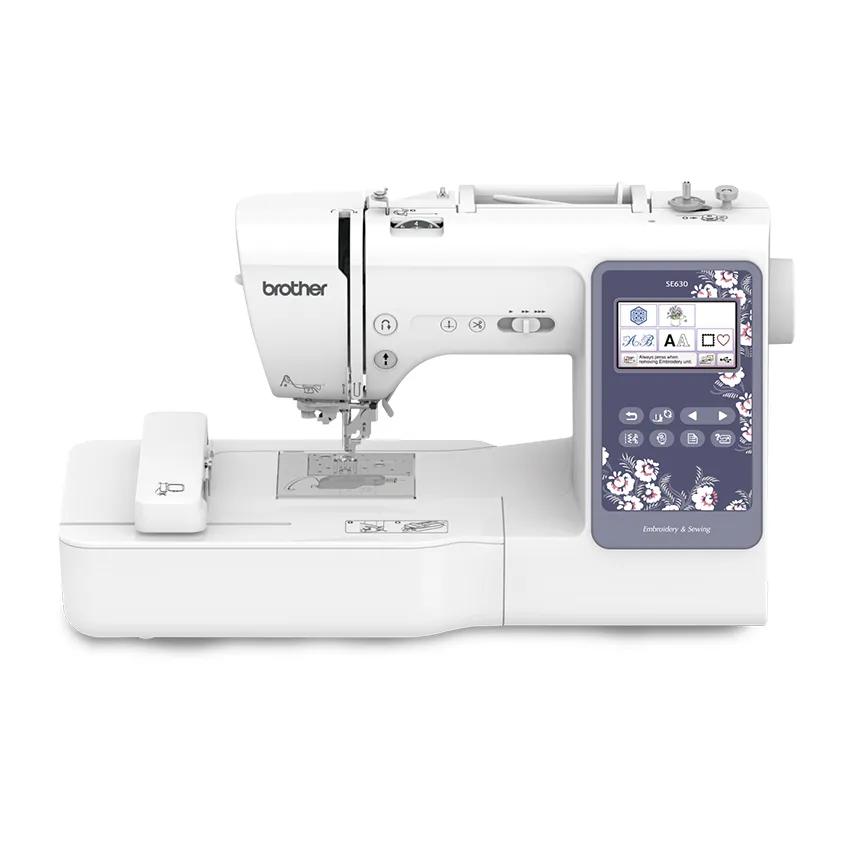 Small designs, simplest combo, happy with USB instead of Wi-FiCheck price
Brother SE630
4 × 4 in · Sewing + embroidery
Quick answer
The SE700 and SE2000 are both current Brother sewing and embroidery combos with Wi-Fi and Artspira. The big difference is the embroidery field: the SE700 is 4 × 4 inches (100 × 100 mm) and the SE2000 is 5 × 7 inches (130 × 180 mm), 2.34× the area. The SE2000 also embroiders faster (650 vs 400 spm), has 241 vs 103 sewing stitches and adds jump stitch trimming. Choose the SE700 only if your designs will stay small; the SE630 is the same-size option without Wi-Fi.
- The field is the real decision: 100 × 100 mm (SE700) vs 130 × 180 mm (SE2000).
- The SE2000 also adds 650 vs 400 spm embroidery, 241 vs 103 sewing stitches, 850 vs 710 spm sewing and jump stitch trimming.
- Both are current models with Wi-Fi, Artspira, USB and the same eight presser feet.
Jump to a section
Our shortlist
Brother SE2000
Best for: Beginners who want one machine for both sewing and 5 × 7 embroidery.
- Field5 × 7 in (130 × 180 mm)
- TypeSewing + embroidery
- Built-in designs193
- Max speed650 spm
- TransferUSB, Wi-Fi, Artspira app
Why pick it
- Sewing and 5 × 7 embroidery in one machine
- 241 sewing stitches
- Wireless transfer, Artspira and jump stitch trimming
Think twice if
- Embroidery field no larger than the PE900
- You cannot sew and embroider at the same time
- Converting between modes takes setup
Brother SE700
Best for: Beginners who want sewing plus small embroidery in one machine, with wireless design transfer.
- Field4 × 4 in (100 × 100 mm)
- TypeSewing + embroidery
- Built-in designs135
- Max speed400 spm
- TransferUSB, Wi-Fi, Artspira app
Why pick it
- Sews and embroiders in one footprint
- Wireless transfer and Artspira app support
- 135 built-in designs and 10 fonts
Think twice if
- 4 × 4 field limits design size
- 400 spm max embroidery speed
- Switching between sewing and embroidery means attaching the embroidery unit
Brother SE630
Best for: Beginners who want one machine for sewing and small embroidery, and are happy to use a USB stick.
- Field4 × 4 in (100 × 100 mm)
- TypeSewing + embroidery
- Built-in designs80
- TransferUSB
Why pick it
- One machine for sewing and small embroidery
- 103 sewing stitches for garment and home sewing
- Simple USB workflow
Think twice if
- 4 × 4 field only
- No wireless transfer listed
- “480 designs” includes 400 downloads, not built-in designs
The SE700 and SE2000 look like the same machine in two sizes, and in many ways they are: both are Brother sewing and embroidery combos, both have Wi-Fi and Artspira, and both ship with the same set of presser feet. The decision that matters is the embroidery field: 4 × 4 or 5 × 7.
This comparison uses Brother’s product pages and operation manuals (checked October 7, 2026). EmbroideryWise did not stitch on these machines. We also include the SE630, Brother’s simpler 4 × 4 combo without Wi-Fi, because it is the other machine people cross-shop.
Status: all three are current
| SE630 | SE700 | SE2000 | |
|---|---|---|---|
| Brother status | Current (Brother’s own store showed new units out of stock and a refurbished option on October 7, 2026) | Current | Current |
| Warranty label on Brother’s page | 1/2/25 Year Limited | 1/2/25 Year Limited | 1/2/25 Year Limited |
Because all three are current, you can buy any of them new from an authorized reseller and get Brother’s standard warranty. The discontinued combo in this family is the SE1900; if you are looking at one used, see our SE1900 vs SE2000 comparison.
Every spec difference, side by side
| Spec | Brother SE630 | Brother SE700 | Brother SE2000 |
|---|---|---|---|
| Maximum embroidery field | 4 × 4 in (100 × 100 mm) | 4 × 4 in (100 × 100 mm) | 5 × 7 in (130 × 180 mm) |
| Field area | 10,000 mm² | 10,000 mm² | 23,400 mm² (2.34×) |
| Built-in embroidery designs | 80 (Brother’s “480” adds 400 downloads) | 135 | 193 |
| Embroidery fonts | 9 | 10 | 13 |
| Maximum embroidery speed | Not stated by Brother | 400 spm (manual; not on the product page) | 650 spm |
| Built-in sewing stitches | 103 | 103 | 241 |
| Maximum sewing speed | 710 spm | 710 spm | 850 spm |
| Screen | Conflict: spec table says 3.2 × 1.8”; marketing text says 3.7” | 3.2 × 1.8” LCD | 3.7” LCD |
| Design transfer | USB only | USB, Wi-Fi, Design Database Transfer, Artspira | USB, Wi-Fi, Design Database Transfer, Artspira |
| Automatic thread cutter | Yes | Yes | Yes |
| Jump stitch trimming | Not stated by Brother | Not stated by Brother | Yes |
| Presser feet included | 8 | 8 | 8 (same list on all three) |
| One-step buttonhole styles | 10 | 10 | 10 |
| Optional 4 × 7 in magnetic frame | Not stated by Brother | Not stated by Brother | Yes (sold separately) |
| Max stitches per design (Brother support article) | 30,000 for 4 × 4 | 30,000 for 4 × 4 | 50,000 for 5 × 7 |
| Max stitches per design (operation manual) | Not stated in the sources checked | Up to 100,000 | Up to 200,000 |
| Native file format | PES | PES | PES |
Brother’s data conflicts
- SE630 screen: the spec table lists a 3.2 × 1.8” display while the marketing text calls it a 3.7” color LCD touch screen. Check the listing or the machine in person if screen size matters.
- SE630 design count: “480 embroidery designs” in the headline is 80 built-in plus 400 downloadable designs. Only 80 live on the machine.
- SE700 speed: the 400 spm figure comes from the operation manual; the product page does not list an embroidery speed.
- Stitch limits: Brother’s support article lists 30,000 stitches per design for 4 × 4 and 50,000 for 5 × 7, while the manuals list up to 100,000 (SE700) and 200,000 (SE2000). Most designs in these sizes are well under every figure. If a dense file is rejected, check your manual.
The real question: will 4 × 4 be enough?
The 5 × 7 field is 30 mm wider and 80 mm taller than 4 × 4, which works out to 2.34 times the stitchable area. That is the difference between a monogram and a T-shirt front.
| Project | 4 × 4 (SE630, SE700) | 5 × 7 (SE2000) |
|---|---|---|
| Left-chest monogram or logo | Yes (Printful caps left-chest embroidery at 4 × 4 in) | Yes |
| Baby bib or onesie motif | Usually yes | Yes |
| Name across a towel band, 150 mm long | No | Yes, rotated |
| Tote bag design about 120 × 160 mm | No | Yes |
| Most 5 × 7 quilt block designs | No | Yes |
| Larger front design like Printful’s 10 × 6 in embroidery area | No | No (needs 6 × 10) |
The hoop regret problem
The real risk with a 4 × 4 machine is outgrowing the field. Many popular designs are sold in several sizes, and the larger versions often need 5 × 7. Once you want those, a 4 × 4 combo cannot help.
Two things do not fix it:
- A larger accessory hoop. A bigger hoop does not expand the machine’s field. The embroidery arm only moves within 100 × 100 mm.
- Shrinking the design. You can reduce a design a little in software, but large reductions crowd stitches and lose detail. See our guide to resizing embroidery designs.
Split designs (separate files stitched one after another with re-hooping) can work for borders and large pieces, but they take careful alignment and are not a beginner-friendly everyday workflow.
Before choosing, gather the five designs you most want to make and check each one in the hoop fit checker. If any are bigger than 100 × 100 mm, the SE2000 is your machine.
Does 400 vs 650 spm matter?
Top speed is a ceiling, not an average. Machines slow down for small details, and color changes and trimming add time. Still, the gap is real when you stitch the same design repeatedly.
As a simple example, a 9,000-stitch design takes about 22.5 minutes of pure stitching at 400 spm and about 14 minutes at 650 spm. Add your own thread changes and hooping time, and run your numbers in the stitch time calculator. For a single gift, the difference is small. For a batch of 20 personalized towels, it adds up to hours.
Switching between sewing and embroidery
All three are combos, which means one machine does two jobs, but not at the same time. To embroider, you attach the embroidery unit and embroidery foot; to sew, you take the unit off and change feet again. The SE2000 does not change that routine, it just gives you a bigger field once the unit is on.
If you often want to sew one project while another stitches out, that is the case for owning a separate embroidery-only machine rather than any combo.
Sewing differences
People often focus on embroidery and forget that the SE2000 is also the stronger sewing machine on paper. Brother lists 241 sewing stitches versus 103, and a top sewing speed of 850 spm versus 710. Both include the same eight feet (zigzag, monogramming, overcasting, zipper, blind stitch, button fitting, buttonhole and embroidery) and 10 one-step buttonhole styles.
For basic garment sewing and repairs, 103 stitches covers the essentials. The extra stitches on the SE2000 are mostly decorative options.
Which should you buy?
| Buyer | Pick | Why |
|---|---|---|
| First and only machine, wants room to grow | SE2000 | 5 × 7 field, faster embroidery, jump stitch trimming |
| Plans T-shirt fronts, totes or quilt blocks | SE2000 | 4 × 4 is too small for these |
| Only monograms, names, patches, small motifs | SE700 | Same workflow, 4 × 4 is enough |
| Small designs, wants the simplest machine, fine with USB | SE630 | No Wi-Fi; 80 designs; same 103 stitches |
| Already owns a sewing machine | None of these | Compare embroidery-only models such as the PE900 |
Choose the SE2000 if…
You want one machine that sews and embroiders, and you can picture even a few projects bigger than about 4 inches. It is also the faster embroiderer of the two and the only one with jump stitch trimming listed.
Choose the SE700 if…
You are confident your embroidery will stay small and you like wireless transfer and Artspira. It has the same feet and buttonholes as the SE2000, so the sewing side covers everyday needs.
Choose the SE630 if…
You want the simplest 4 × 4 combo and do not mind carrying designs over on a USB stick. You give up Wi-Fi, Artspira and 55 built-in designs compared with the SE700. Keep in mind Brother does not state its embroidery speed.
Skip all three if…
You already sew on a machine you like. An embroidery-only machine lets you sew while it stitches; see PE900 vs SE2000 and our embroidery-only vs combo guide.
The bottom line
The SE700 and SE2000 share a workflow, but not a field. The SE2000’s 130 × 180 mm area, faster embroidery and jump stitch trimming make it the safer first-and-only machine for most people. The SE700 is a good fit only if you are sure your designs will stay at 4 × 4, and the SE630 is the same idea without Wi-Fi.
For more context, read the 4 × 4 vs 5 × 7 hoop guide or browse the best sewing and embroidery combos.
Spec comparison
| Model | Field | Type | Designs | Max speed | Transfer | Shop |
|---|---|---|---|---|---|---|
| Brother SE630 | 4 × 4 in | Sewing + embroidery | 80 | — | USB | Check price ↗ |
| Brother SE700 | 4 × 4 in | Sewing + embroidery | 135 | 400 spm | USB, Wi-Fi, Artspira app | Check price ↗ |
| Brother SE2000 | 5 × 7 in | Sewing + embroidery | 193 | 650 spm | USB, Wi-Fi, Artspira app | Check price ↗ |
What to buy
- Shop on Amazon ↗
Cut-away stabilizerStart here
Permanent support for knits, T-shirts, sweatshirts and anything that stretches. Medium weight suits most first projects; buy enough to test before the real garment. Learn more
- Shop on Amazon ↗
Tear-away stabilizerStart here
Temporary support for stable wovens such as canvas, denim, twill and quilting cotton. Tear gently while supporting the stitches; not a substitute for cut-away on stretchy fabric. Learn more
- Shop on Amazon ↗
Water- or air-erasable marking penStart here
Mark center lines and placement before hooping so the design lands where you planned. Test that the mark disappears from your fabric before marking a garment. Learn more
Frequently asked questions
Can I put a bigger hoop on the SE700?
No accessory hoop expands the SE700’s 4 × 4 inch (100 × 100 mm) maximum embroidery area. The machine’s field is the limit, so for larger single designs you need a 5 × 7 machine like the SE2000.
Is the SE2000 better for sewing too?
On paper, yes: Brother lists 241 sewing stitches and up to 850 spm sewing for the SE2000, versus 103 stitches and up to 710 spm for the SE700. Both include the same eight presser feet and 10 one-step buttonhole styles.
What is the difference between the SE630 and SE700?
Both are 4 × 4 combos with 103 sewing stitches. The SE700 adds Wi-Fi and Artspira, 135 vs 80 built-in designs and 10 vs 9 fonts; the SE630 loads designs by USB only.
Does the SE700 trim jump stitches?
Brother lists an automatic thread cutter on the SE700 but does not mention jump stitch trimming. The SE2000 page lists jump stitch trimming specifically.
Are the SE700 and SE2000 discontinued?
No. Both are current Brother models as of October 2026. The discontinued 5 × 7 combo is the older SE1900.
Sources & method
This guide is compiled from manufacturer documentation and specialist sources, not hands-on testing. We link every source so you can check it. Specifications change, so confirm details against your exact model manual. How we research.
- Brother SE700 product page and specifications
- Brother SE700 operation manual (PDF)
- Brother SE2000 product page and specifications
- Brother SE2000 operation manual (PDF)
- Brother SE630 product page and specifications
- Brother support: embroidery design not recognized (stitch limits by hoop)
- Printful: T-shirt design placement guide (embroidery placement sizes)