Comparisons
Brother PE800 vs PE900: is the upgrade worth it?
Brother PE800 vs PE900 compared spec by spec: same 5 × 7 field and 650 spm, but the PE900 adds Wi-Fi, jump stitch trimming and more designs. Which to buy.
As an Amazon Associate I earn from qualifying purchases. It does not change the price you pay. How we handle links.
Our picks at a glance
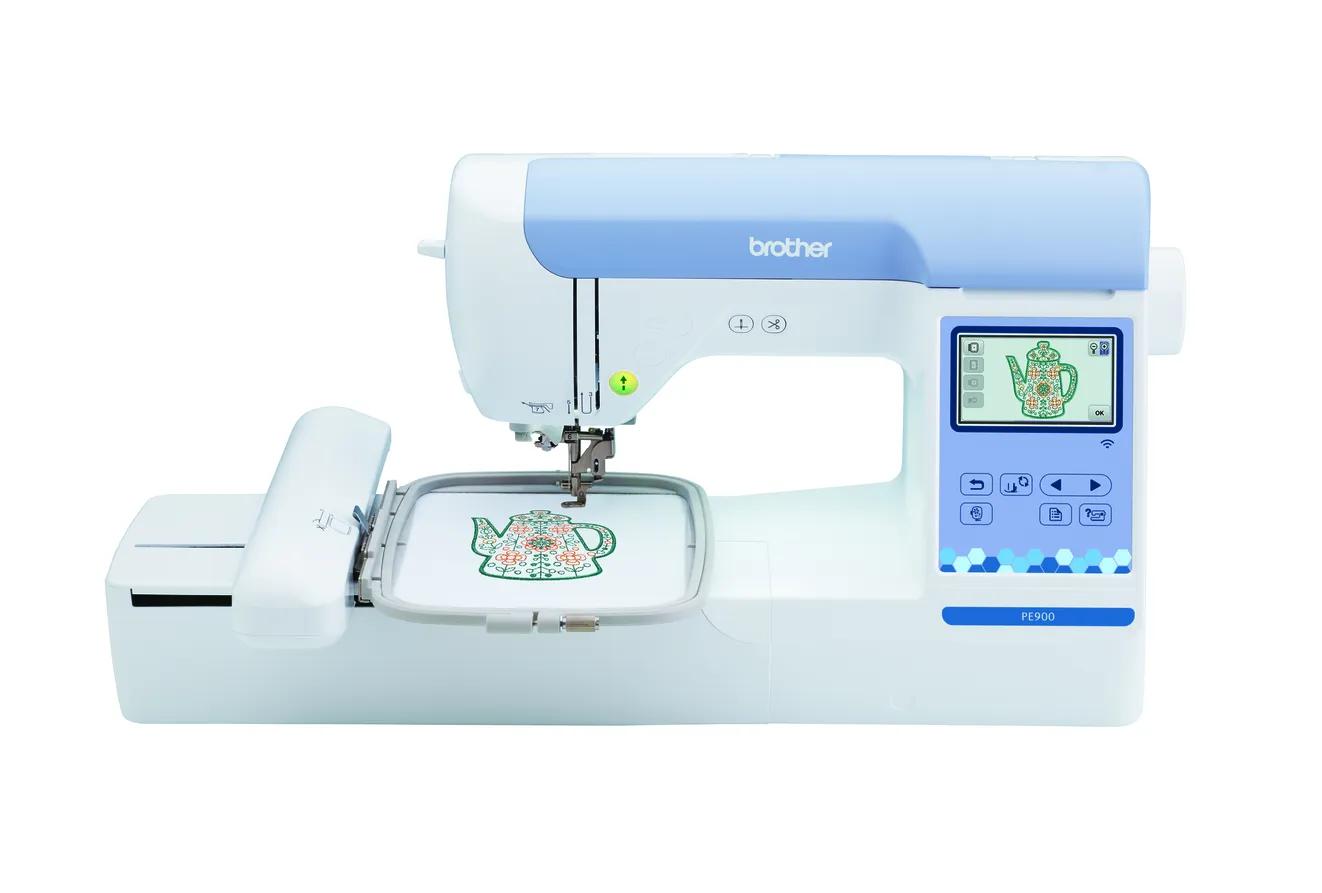 Buy new: most beginners, anyone who wants Wi-Fi and a warrantyCheck price
Brother PE900
5 × 7 in · Embroidery only · Wi-Fi
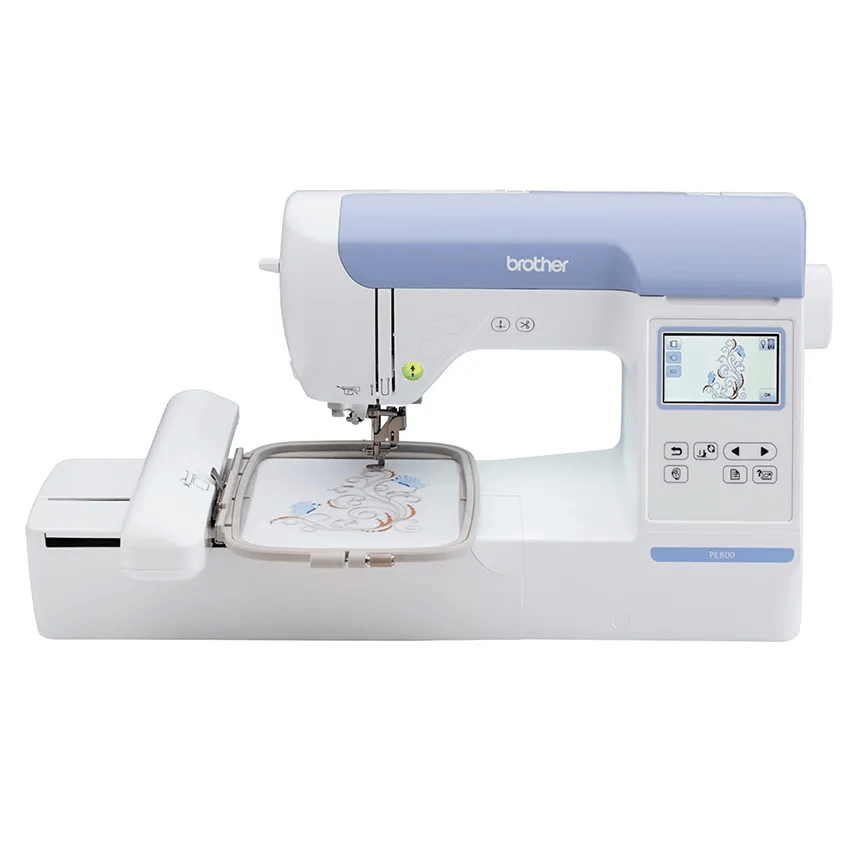 Buy used: tight budgets, USB-only is fine, 5 × 7 is the priorityCheck availability
Brother PE800
5 × 7 in · Embroidery only
Quick answer
The PE800 and PE900 share the same 5 × 7 inch (130 × 180 mm) embroidery field and 650 stitches-per-minute top speed, so they stitch the same size designs. The PE900 is the current model and adds Wi-Fi, Artspira app support, jump stitch trimming, a larger 3.7" screen, 193 designs and 13 fonts. Brother lists the PE800 as discontinued, so buy one only used or as remaining stock at a clear discount, and understand that a used machine has no Brother warranty.
- Same 5 × 7 field and same 650 spm maximum speed: the PE900 does not stitch bigger designs.
- The PE900 adds Wi-Fi, Artspira, jump stitch trimming, color sort and a 3.7" screen (PE800: 3.2 × 1.8").
- Brother lists the PE800 as discontinued; Brother’s warranty covers only the original buyer from an authorized US reseller.
Jump to a section
Our shortlist
Brother PE900
Best for: Beginners who already sew (or do not need to) and want room for T-shirt fronts, totes and most popular design sizes.
- Field5 × 7 in (130 × 180 mm)
- TypeEmbroidery only
- Built-in designs193
- Max speed650 spm
- TransferUSB, Wi-Fi, Artspira app
Why pick it
- 5 × 7 field fits most popular design sizes
- Up to 650 spm
- Wireless transfer, Artspira and jump stitch trimming
Think twice if
- No sewing functions
- Single needle: you re-thread for every color
- Designs over 130 × 180 mm need splitting and re-hooping
Brother PE800
Best for: Buyers who find one used or as remaining stock at a clear discount and are happy with USB transfer.
- Field5 × 7 in (130 × 180 mm)
- TypeEmbroidery only
- Built-in designs138
- Max speed650 spm
- TransferUSB
Why pick it
- 5 × 7 field and 650 spm, the same as the PE900
- Large used market
- Simple USB workflow
Think twice if
- Discontinued by Brother
- No wireless or jump stitch trimming
- Brother’s data conflicts on the font count (11 vs 7)
The PE800 was Brother’s go-to beginner 5 × 7 embroidery machine for years, and the PE900 replaced it. Because so many PE800s are still for sale used or as leftover stock, the real question for most shoppers is simple: is a PE800 at a lower price a smart buy, or is the PE900 worth the extra?
This comparison uses Brother’s own product pages and manuals (checked October 7, 2026). EmbroideryWise did not stitch on either machine; every figure below is attributed to Brother, and we flag where Brother’s own data disagrees with itself.
Status: one is current, one is discontinued
| PE800 | PE900 | |
|---|---|---|
| Brother status | Discontinued | Current |
| How you can buy it | Used, refurbished or remaining stock | New from Brother and authorized resellers |
| Brother warranty listed on the product page | 1/2/25 Year Limited | 1/2/25 Year Limited |
Discontinued does not mean broken or unsupported overnight. It means Brother no longer makes it, so supply comes from whatever stock remains and from the used market.
The warranty is where status really matters. Brother’s home sewing warranty statement says the coverage is given only to the end-use purchaser, and that the warranty is void if you did not buy the machine from an authorized Brother reseller in the United States. It also asks for a dated bill of sale. So:
- New old stock from an authorized reseller: Brother’s warranty periods run from the date you purchased, so a never-sold PE800 bought from an authorized reseller should still carry coverage. Get the receipt.
- A used PE800 from a private seller: plan as if there is no Brother warranty at all.
Under that statement, the 1/2/25 structure means one year for parts and labor, two years for electronic pattern control and selection components, and 25 years for head parts such as shafts and connecting rods (with exclusions like needles, belts and the motor).
Every spec difference, side by side
| Spec | Brother PE800 | Brother PE900 |
|---|---|---|
| Machine type | Embroidery-only | Embroidery-only |
| Maximum embroidery field | 5 × 7 in (130 × 180 mm) | 5 × 7 in (180 × 130 mm in the manual) |
| Maximum embroidery speed | 650 spm | 650 spm |
| Built-in designs | 138 (Brother counts 10 frame designs within this) | 193 |
| Built-in fonts | 11 in the description; 7 in Brother’s spec table (conflict) | 13 |
| Screen | 3.2 × 1.8” color touch LCD | 3.7” LCD touch panel |
| Design transfer | USB | USB, Wi-Fi (wireless LAN), Artspira app |
| Jump stitch trimming | Not stated by Brother | Yes |
| Automatic thread cutter | Yes | Yes |
| Color sort | Not stated by Brother | Yes |
| Needle threading | Not stated by Brother | Advanced automatic needle threading |
| Optional 4 × 7 in magnetic frame | Not stated by Brother | Yes (sold separately) |
| Included hoop | One 5 × 7 in hoop | 5 × 7 in embroidery frame set |
| Max stitches per design (Brother support article, by hoop size) | 50,000 for 5 × 7 | 50,000 for 5 × 7 |
| Max stitches per design (operation manual) | Not stated in the sources checked | Up to 200,000 |
| Weight | Not stated by Brother | 17.64 lb |
| Native file format | PES | PES |
| Brother status | Discontinued | Current |
Two notes on that table. First, the stitch-limit rows conflict: Brother’s support article on designs the machine will not recognize lists 50,000 stitches for a 5 × 7 hoop, while the PE900 manual says up to 200,000 stitches per pattern. Most beginner 5 × 7 designs are far below either figure, but if a large, dense file is rejected, this is one of the reasons Brother gives. Check your own manual.
Second, the font conflict on the PE800 is Brother’s, not ours. The product description says 11 fonts and the spec table says 7. If built-in lettering matters to you, count the fonts on the machine’s screen before you pay.
What stays the same
The core embroidery job is identical. Both machines have a 130 × 180 mm field, both top out at 650 stitches per minute, and both are single-needle, so you change thread by hand for every color.
That means the PE900 will not let you stitch a bigger T-shirt front, a larger tote design or a jacket back. If your designs fit a PE800, they fit a PE900, and vice versa. If you need more than 5 × 7, look at the PE900 vs NQ1700E comparison instead.
Both use Brother’s PES format, and Brother’s support article lists .pes, .dst, .phc and .pen among the formats its machines read. Designs you buy for one will open on the other.
What the PE900 adds
Wireless transfer and Artspira
The PE800 loads designs by USB stick only. The PE900 adds wireless LAN, Brother’s Design Database Transfer software, and support for the Artspira app, so you can send a design from a computer or phone without walking a flash drive to the machine.
That is a workflow upgrade, not a stitch-quality upgrade. Plenty of people are happy with USB, and a small drive is cheap. See how to transfer embroidery designs to your machine for both methods.
Jump stitch trimming
This is the upgrade that changes daily use most. Jump stitches are the threads that travel between separate parts of a design, such as between letters in a name. Brother says the PE900 automatically trims them. On a machine without it, you snip them yourself after stitching.
If you plan a lot of monograms and names, that adds up. If you mostly stitch single-color motifs, it matters less.
Bigger screen and more built-in content
The PE900’s 3.7” screen is larger than the PE800’s 3.2 × 1.8” display, which helps with on-screen editing. It also has 193 built-in designs and 13 fonts versus 138 designs and 11 (or 7) fonts.
Built-in designs matter less than they look. Most people end up buying or downloading designs for real projects. Fonts matter more if you want to monogram without buying software.
Which should you buy?
| If you are… | Buy | Why |
|---|---|---|
| A first-time buyer who wants a new machine with a warranty | PE900 | Current model, warranty from an authorized reseller, every PE800 feature plus more |
| Stitching lots of names, monograms or multi-part designs | PE900 | Jump stitch trimming saves hand trimming |
| On a strict budget and a used PE800 is a clear discount | PE800 | Same field and speed; you give up convenience, not design size |
| Happy with USB and already own embroidery software | PE800 | Wi-Fi and Artspira add little to a computer-based workflow |
| Planning to sell embroidered items | PE900 (or bigger) | Warranty and trimming matter more when the machine runs daily |
| Unsure whether 5 × 7 is enough | Neither yet | Check your designs in the hoop fit checker first |
Choose the PE900 if…
You want a new machine with Brother’s warranty, you care about wireless transfer, or you plan to stitch lettering. For most new buyers it is the default 5 × 7 embroidery-only choice in Brother’s current lineup, which is why it anchors our beginner machine guide.
Choose a PE800 if…
The price gap is large, the machine has been tested in front of you or comes with a stitch-out photo, and the 5 × 7 hoop is included. Accept that you are trading convenience and warranty for savings, not trading down on design size.
Skip both if…
You need to sew seams on the same machine. Then compare the PE900 with the SE2000 combo, which has the same embroidery specs plus 241 sewing stitches.
Is the PE800 still worth buying in 2026?
On specs, yes, as long as the price reflects its age. The 5 × 7 field is the size most design shops sell, so a working PE800 can still stitch T-shirt fronts, tote designs and quilt blocks. Nothing about Brother discontinuing it changes what it can stitch.
What changes is your risk. You lose the warranty if you buy secondhand, you rely on a USB stick, and you trim jump stitches by hand. Weigh those against the savings, and remember that the PE900 is the machine Brother is still selling and documenting today.
How to check a used or leftover PE800
A used machine is only a bargain if it works. Before paying:
- Confirm it is a PE800, not a 4 × 4 model listed with the wrong name. The label and the included 5 × 7 hoop are good checks.
- Ask for a recent stitch-out of a built-in design, ideally with lettering, or watch it stitch in person.
- Check the accessories: 5 × 7 hoop, embroidery foot, power cord and bobbin case.
- Ask where it was bought. A receipt from an authorized reseller matters only to the original owner; for you, it is evidence of age and care.
- Budget for a service visit if the history is unknown.
Our used embroidery machine checklist covers these steps in more detail.
The bottom line
The PE800 and PE900 stitch the same size designs at the same top speed. What you pay extra for with the PE900 is convenience (wireless, Artspira, jump stitch trimming, bigger screen) and, just as important, a machine you can buy new with a Brother warranty.
If the used PE800 in front of you is not clearly cheaper, buy the PE900. If it is much cheaper and you are happy with USB and hand-trimming, the PE800 is still a capable 5 × 7 machine. For the full current range, see the Brother embroidery machine lineup or browse all machine pages.
Spec comparison
| Model | Field | Type | Designs | Max speed | Transfer | Shop |
|---|---|---|---|---|---|---|
| Brother PE800 | 5 × 7 in | Embroidery only | 138 | 650 spm | USB | Check price ↗ |
| Brother PE900 | 5 × 7 in | Embroidery only | 193 | 650 spm | USB, Wi-Fi, Artspira app | Check price ↗ |
What to buy
- Shop on Amazon ↗
Small USB flash driveStart here
The most universal way to move designs from computer to machine. Check your machine manual for supported USB media before buying; a small, plain drive is the safest choice. Learn more
- Shop on Amazon ↗
Cut-away stabilizerStart here
Permanent support for knits, T-shirts, sweatshirts and anything that stretches. Medium weight suits most first projects; buy enough to test before the real garment. Learn more
- Shop on Amazon ↗
Tear-away stabilizerStart here
Temporary support for stable wovens such as canvas, denim, twill and quilting cotton. Tear gently while supporting the stitches; not a substitute for cut-away on stretchy fabric. Learn more
Frequently asked questions
Is the PE900 bigger than the PE800?
No. Brother lists the same 5 × 7 inch maximum embroidery area for both, so any design that fits one fits the other. The PE900’s upgrades are connectivity, jump stitch trimming, a larger screen and more built-in content.
Is the Brother PE800 discontinued?
Yes. Brother’s product page lists the PE800 as discontinued, and Brother’s current 5 × 7 embroidery-only model is the PE900.
Does a used PE800 come with a Brother warranty?
Brother’s home sewing warranty is given only to the end-use purchaser and is void if the machine was not bought from an authorized Brother reseller in the US. A secondhand machine should be treated as having no Brother warranty.
Can the PE800 use the same designs as the PE900?
Yes. Both are Brother 5 × 7 machines that use PES files, and Brother’s support article lists .pes and .dst among the formats its machines read. The PE800 loads designs by USB only.
Is jump stitch trimming worth it?
It saves you from snipping the connecting threads between letters and design sections by hand. If you plan lots of lettering or multi-part designs, it is one of the more practical PE900 upgrades.
Sources & method
This guide is compiled from manufacturer documentation and specialist sources, not hands-on testing. We link every source so you can check it. Specifications change, so confirm details against your exact model manual. How we research.
- Brother PE800 product page and specifications
- Brother PE900 product page and specifications
- Brother PE900 operation manual (PDF)
- Brother support: embroidery design not recognized (stitch limits by hoop)
- Brother support: design format types the machine will read
- Brother home sewing limited warranty statement (PDF)