Comparisons
Brother PE900 vs NQ1700E: is 6 × 10 worth it over 5 × 7?
Brother PE900 vs NQ1700E: 5 × 7 vs 6 × 10 field, 650 vs 850 spm, 3.7" vs 4.85" screen. Full spec table, what the bigger field fits, and who should upgrade.
As an Amazon Associate I earn from qualifying purchases. It does not change the price you pay. How we handle links.
Our picks at a glance
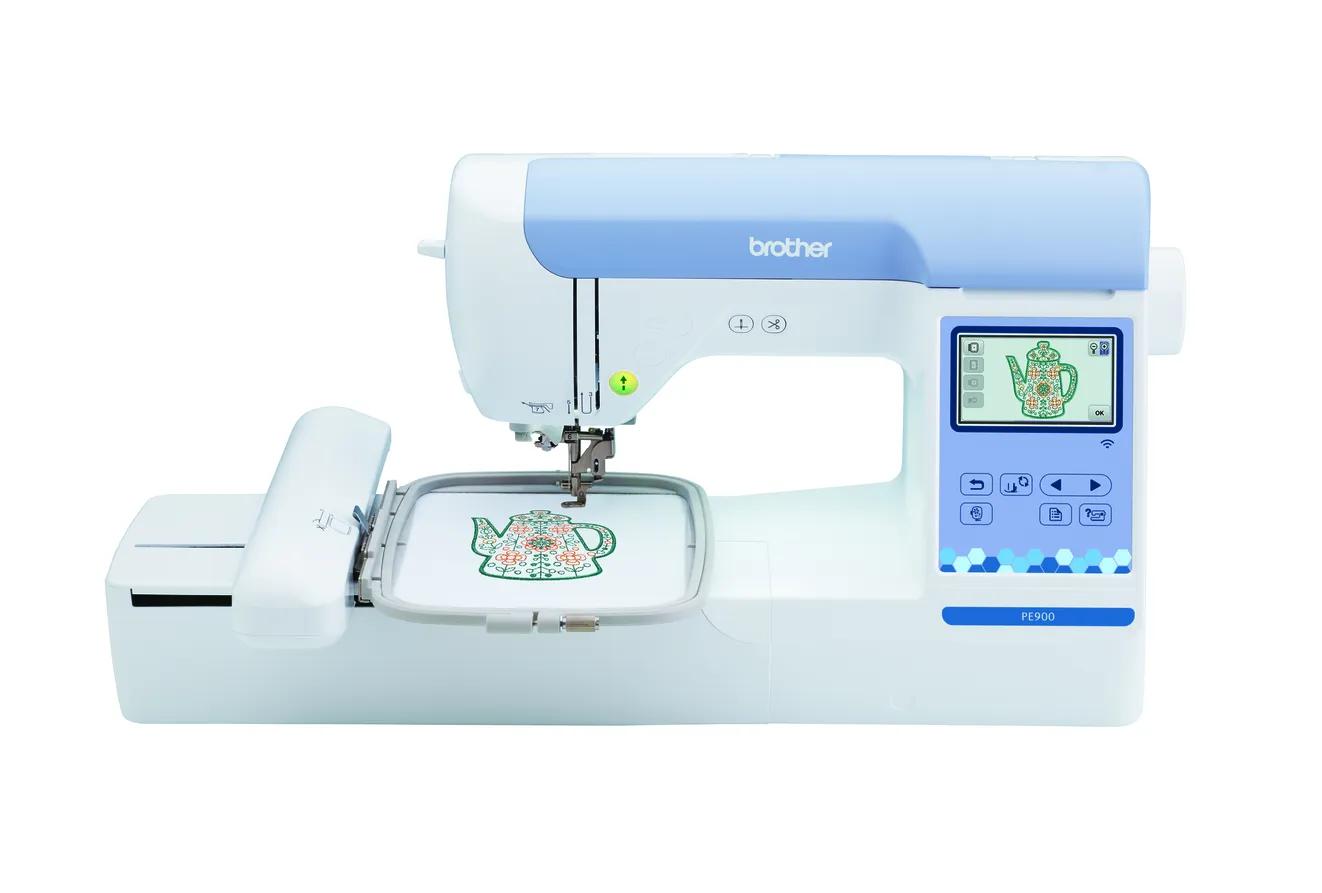 Most beginners: designs up to 5 × 7, smaller footprintCheck price
Brother PE900
5 × 7 in · Embroidery only · Wi-Fi
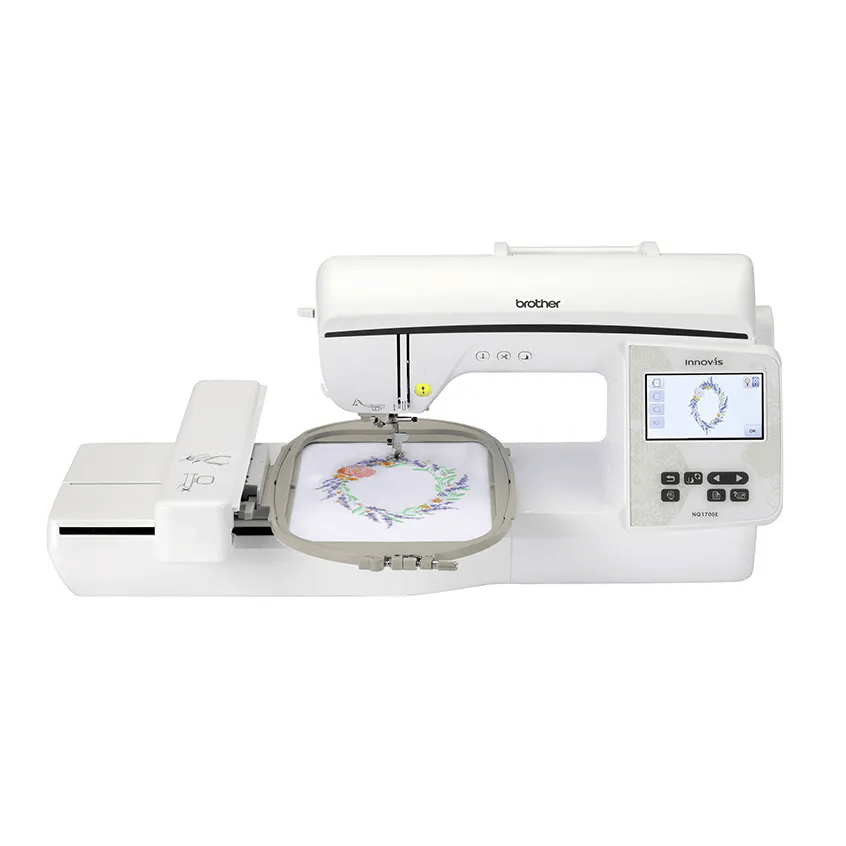 Bigger projects: designs over 5 × 7, faster stitching, longer warrantyCheck price
Brother NQ1700E
6 × 10 in · Embroidery only · Wi-Fi
Quick answer
Both are current Brother embroidery-only machines with Wi-Fi and Artspira. The NQ1700E has a 6 × 10 inch (160 × 260 mm) field with about 78% more area than the PE900’s 5 × 7 (130 × 180 mm), plus 850 vs 650 spm, a 4.85" vs 3.7" screen, 258 vs 193 designs, and both 6 × 10 and 5 × 7 frames included. Buy the NQ1700E only if you have real projects bigger than 5 × 7; otherwise the PE900 covers most beginner designs.
- Field: 130 × 180 mm (PE900) vs 160 × 260 mm (NQ1700E), about 1.78× the area.
- The NQ1700E is faster (850 vs 650 spm), has a larger 4.85" screen and includes both a 6 × 10 and a 5 × 7 frame.
- Brother lists a 2/6/25 Premium warranty on the NQ1700E vs 1/2/25 on the PE900.
Jump to a section
Our shortlist
Brother PE900
Best for: Beginners who already sew (or do not need to) and want room for T-shirt fronts, totes and most popular design sizes.
- Field5 × 7 in (130 × 180 mm)
- TypeEmbroidery only
- Built-in designs193
- Max speed650 spm
- TransferUSB, Wi-Fi, Artspira app
Why pick it
- 5 × 7 field fits most popular design sizes
- Up to 650 spm
- Wireless transfer, Artspira and jump stitch trimming
Think twice if
- No sewing functions
- Single needle: you re-thread for every color
- Designs over 130 × 180 mm need splitting and re-hooping
Brother NQ1700E
Best for: Beginners who already know they want bigger designs (jacket backs, larger quilt blocks) without re-hooping.
- Field6 × 10 in (160 × 260 mm)
- TypeEmbroidery only
- Built-in designs258
- Max speed850 spm
- TransferUSB, Wi-Fi, Artspira app
Why pick it
- 6 × 10 field: about 78% more area than 5 × 7
- Up to 850 spm
- Both 6 × 10 and 5 × 7 frames included
Think twice if
- No sewing functions
- More machine than many beginners need
- Still single needle
The PE900 and NQ1700E are Brother’s two current embroidery-only machines above the 4 × 4 class. They share a lot: single needle, Wi-Fi, Artspira, the same 13 fonts and Brother’s PES workflow. The difference is size and pace: a 6 × 10 field instead of 5 × 7, faster stitching, a bigger screen and a bigger machine.
This comparison uses Brother’s product pages and the PE900 manual (checked October 7, 2026). EmbroideryWise did not stitch on these machines. The goal is to help you decide whether the bigger field is something you will use, or something you will pay for and rarely need.
Status and warranty
| PE900 | NQ1700E | |
|---|---|---|
| Brother status | Current | Current |
| Warranty label on Brother’s page | 1/2/25 Year Limited | 2/6/25 Year Premium Limited |
Both are current and sold new through Brother and authorized resellers. The PE900’s 1/2/25 label follows Brother’s standard home sewing statement: one year parts and labor, two years for electronic components, 25 years for head parts. The NQ1700E carries what Brother calls a 2/6/25 Premium Limited Warranty, which by the same pattern suggests longer first two tiers; check the warranty document that ships with the machine for the exact terms.
In both cases Brother’s warranty goes only to the original buyer from an authorized US reseller, so buy new from an authorized seller and keep the receipt.
Every spec difference, side by side
| Spec | Brother PE900 | Brother NQ1700E |
|---|---|---|
| Machine type | Embroidery-only, single needle | Embroidery-only, single needle |
| Maximum embroidery field | 5 × 7 in (130 × 180 mm) | 6 × 10 in (160 × 260 mm; 26 × 16 cm in the manual) |
| Field area | 23,400 mm² | 41,600 mm² (about 1.78×) |
| Frames included | 5 × 7 in frame set | 6 × 10 in and 5 × 7 in frames |
| Optional 4 × 7 in magnetic frame | Yes (sold separately) | Not stated by Brother |
| Built-in designs | 193 | 258 (plus 140 frame pattern combinations) |
| Embroidery fonts | 13 | 13 |
| Maximum embroidery speed | 650 spm | 850 spm |
| Screen | 3.7” LCD | 4.85” color LCD touch screen, adjustable brightness |
| Design transfer | USB, Wi-Fi, Artspira | USB, Wi-Fi, Design Database Transfer, Artspira |
| Thread trimming | Jump stitch trimming (Brother’s wording) | “Automatic thread trimming system” (Brother does not use the phrase jump stitch on this page) |
| Automatic thread cutter | Yes | Yes |
| Color sort / shuffling | Color sort | Color shuffling |
| Upper and bobbin thread sensors | Not stated by Brother | Yes |
| Needle-to-arm distance | 7.4” | 8.3” |
| Weight | 17.64 lb | 27 lb |
| Dimensions | 9.49 × 17.48 × 11.81 in | 27.37 L × 16.62 W × 11.87 H in |
| Max stitches per design (Brother support article) | 50,000 for 5 × 7 | 150,000 for 6 × 10 |
| Max stitches per design (operation manual) | Up to 200,000 | Not stated in the sources checked |
| Native file format | PES | PES |
| Warranty label | 1/2/25 Year Limited | 2/6/25 Year Premium Limited |
Brother’s data conflicts and gaps
- Stitch limits: Brother’s support article lists 50,000 stitches per design for 5 × 7 and 150,000 for 6 × 10, while the PE900 manual says up to 200,000 per pattern. For most designs this never matters. If a very dense file will not load, check the stitch count and your manual.
- Trimming wording: the PE900 page says jump stitch trimming; the NQ1700E page says automatic thread trimming system. Both trim threads, but Brother does not describe them in the same terms, so we do not claim they are identical.
- Speed: the 850 spm figure comes from Brother’s NQ1700E listing; the product page also emphasizes adjustable speed settings. Top speed is a maximum, not a typical rate.
What does 6 × 10 actually let you stitch?
The NQ1700E field is 30 mm wider and 80 mm taller than 5 × 7. The extra height is the bigger deal: 260 mm is a little over 10 inches.
| Project or design size | PE900 (130 × 180 mm) | NQ1700E (160 × 260 mm) |
|---|---|---|
| Left-chest logo or monogram | Yes | Yes (use the 5 × 7 frame) |
| Typical 5 × 7 design from a design shop | Yes | Yes |
| Tote bag design about 150 × 200 mm | No | Yes |
| Larger front design like Printful’s 10 × 6 in (254 × 152 mm) embroidery area | No | Yes, just |
| 6 × 10 quilt block designs | No | Yes |
| Tall lettering down a pant leg or banner, 250 mm long | No | Yes |
| Large jacket back over 260 mm | No | No, needs a split design or bigger machine |
Rotation helps on both. A 170 × 120 mm design does not fit the PE900 upright, but it fits rotated 90°. A 140 × 190 mm design does not fit the PE900 either way. Run your own design dimensions through the hoop fit checker with both machines.
Why the included 5 × 7 frame matters
Madeira advises choosing the smallest hoop available for the design, because a smaller hoop holds fabric more securely. Brother includes a 5 × 7 frame with the NQ1700E, so you are not forced to stitch small designs in a large hoop. That makes the NQ1700E a reasonable “do everything” machine rather than a big-design-only machine.
The PE900 goes the other way: Brother says it works with an optional 4 × 7 inch magnetic frame (sold separately). A magnetic or smaller frame never expands the field, though. The PE900 is capped at 130 × 180 mm whatever frame you attach.
Speed: 650 vs 850 spm
At top speed, the NQ1700E is about 31% faster. As a simple example, a 15,000-stitch design takes about 23 minutes of pure stitching at 650 spm and about 18 minutes at 850 spm. Real times are longer for both, because the machine slows down for detail and you change thread for every color.
Five minutes per design is minor for gifts. For a batch of 30 items, it is more than two hours of machine time. Model your own jobs with the stitch time calculator.
Screen and workspace
The NQ1700E’s 4.85” screen is noticeably larger than the PE900’s 3.7”, which helps when editing, combining and positioning designs on the machine. Brother also lists upper and bobbin thread sensors on the NQ1700E.
Brother also lists the needle-to-arm distance: 8.3” on the NQ1700E vs 7.4” on the PE900. That is the open space between the needle and the body of the machine, and more of it makes bulkier items, like a rolled-up quilt section or a jacket, easier to manage while the hoop moves.
The trade-off is size. Brother lists the NQ1700E at 27 lb and 27.37 × 16.62 × 11.87 inches (L × W × H), while the PE900 weighs 17.64 lb and its largest listed dimension is 17.48 inches. Measure your table, and leave clearance behind and beside the machine for the embroidery arm to travel through the full field.
When is the bigger field worth it?
Use these rules:
- Stay with the PE900 if most of what you want to make is monograms, left chests, kids’ clothes, towels and standard 5 × 7 designs. That covers a large share of beginner projects.
- Choose the NQ1700E if you already own or want to buy designs sized for 6 × 10, you quilt with large embroidered blocks, you want larger front designs on adult shirts, or you plan to sell and value the extra speed.
- Choose the NQ1700E if you know you hate re-hooping. Split designs can stretch a 5 × 7 machine, but each split adds alignment work.
- Look beyond both if you want hats on a cap frame or automatic color changes. Neither Brother page mentions cap frames, and both are single needle. See single-needle vs multi-needle and the best machine for hats.
Verdict by buyer type
| Buyer | Pick | Why |
|---|---|---|
| First machine, mostly small and medium designs | PE900 | Covers 5 × 7, smaller and lighter |
| Quilter planning large embroidered blocks | NQ1700E | 6 × 10 field |
| Plans larger front designs on adult shirts | NQ1700E | Fits roughly 10 × 6 in designs |
| Small home business stitching batches | NQ1700E | 850 spm, longer warranty, bigger field |
| Tight on space | PE900 | Smaller footprint and about 9 lb lighter |
| Wants sewing too | Neither | Look at the SE2000 (5 × 7) or NQ3550W (6 × 10) |
The bottom line
The NQ1700E is a bigger, faster PE900 with a larger screen, a longer listed warranty and both frame sizes in the box. It is worth it when you have actual projects that need more than 130 × 180 mm. If you cannot name those projects yet, the PE900 is the better-sized first machine.
If you are also considering other brands with large fields, read Brother vs Janome. For more on what fits each hoop class, see 4 × 4 vs 5 × 7 embroidery hoops, and if you plan to sell, start with the best embroidery machine for a small business.
Spec comparison
| Model | Field | Type | Designs | Max speed | Transfer | Shop |
|---|---|---|---|---|---|---|
| Brother PE900 | 5 × 7 in | Embroidery only | 193 | 650 spm | USB, Wi-Fi, Artspira app | Check price ↗ |
| Brother NQ1700E | 6 × 10 in | Embroidery only | 258 | 850 spm | USB, Wi-Fi, Artspira app | Check price ↗ |
What to buy
- Shop on Amazon ↗
Cut-away stabilizerStart here
Permanent support for knits, T-shirts, sweatshirts and anything that stretches. Medium weight suits most first projects; buy enough to test before the real garment. Learn more
- Shop on Amazon ↗
Tear-away stabilizerStart here
Temporary support for stable wovens such as canvas, denim, twill and quilting cotton. Tear gently while supporting the stitches; not a substitute for cut-away on stretchy fabric. Learn more
- Shop on Amazon ↗
Adhesive (sticky) stabilizer
Lets you float items that are hard to hoop, such as collars, small pockets and bags. Choose tear-away or cut-away adhesive depending on whether the fabric needs lasting support. Learn more
- Shop on Amazon ↗
Water- or air-erasable marking penStart here
Mark center lines and placement before hooping so the design lands where you planned. Test that the mark disappears from your fabric before marking a garment. Learn more
Frequently asked questions
How much bigger is 6 × 10 than 5 × 7?
Brother’s 6 × 10 field is 160 × 260 mm (41,600 mm²) and its 5 × 7 field is 130 × 180 mm (23,400 mm²). That is about 78% more area, or 30 mm wider and 80 mm taller.
Can the NQ1700E stitch 5 × 7 designs?
Yes. Brother lists both a 6 × 10 and a 5 × 7 frame for the NQ1700E, so you can use the smaller frame for 5 × 7 designs, which helps keep fabric taut.
Is the NQ1700E a multi-needle machine?
No. Like the PE900, it is a single-needle machine, so you change thread by hand for every color.
Does the NQ1700E sew?
No. It is embroidery-only. Brother’s 6 × 10 combo with sewing is the NQ3550W.
Is 850 spm much faster than 650 spm?
At top speed it is about 31% faster, but real stitching time also depends on design density, color changes and how often the machine slows down. The difference grows when you stitch many large designs.
Sources & method
This guide is compiled from manufacturer documentation and specialist sources, not hands-on testing. We link every source so you can check it. Specifications change, so confirm details against your exact model manual. How we research.
- Brother PE900 product page and specifications
- Brother NQ1700E product page and specifications
- Brother PE900 operation manual (PDF)
- Brother support: embroidery design not recognized (stitch limits by hoop)
- Brother home sewing limited warranty statement (PDF)
- Printful: T-shirt design placement guide (embroidery placement sizes)
- Madeira: how to hoop (choose the smallest hoop)